Add Corporate Volunteer (Without Letter of Appreciation)
- To add corporate volunteer send in by CSR Partner to the volunteering opportunity.
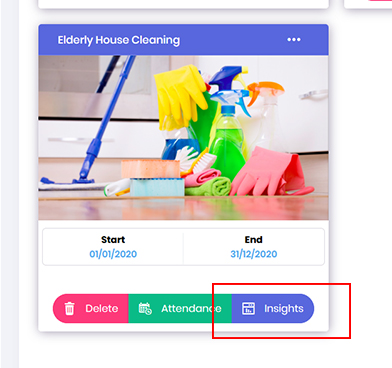
Go to the Opportunity dashboard, locate the required project and click on Insights button.
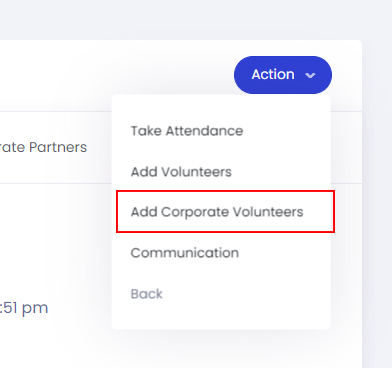
- In the Opportunity Insight dashboard, click on the Action button and select Add Corporate Volunteers.
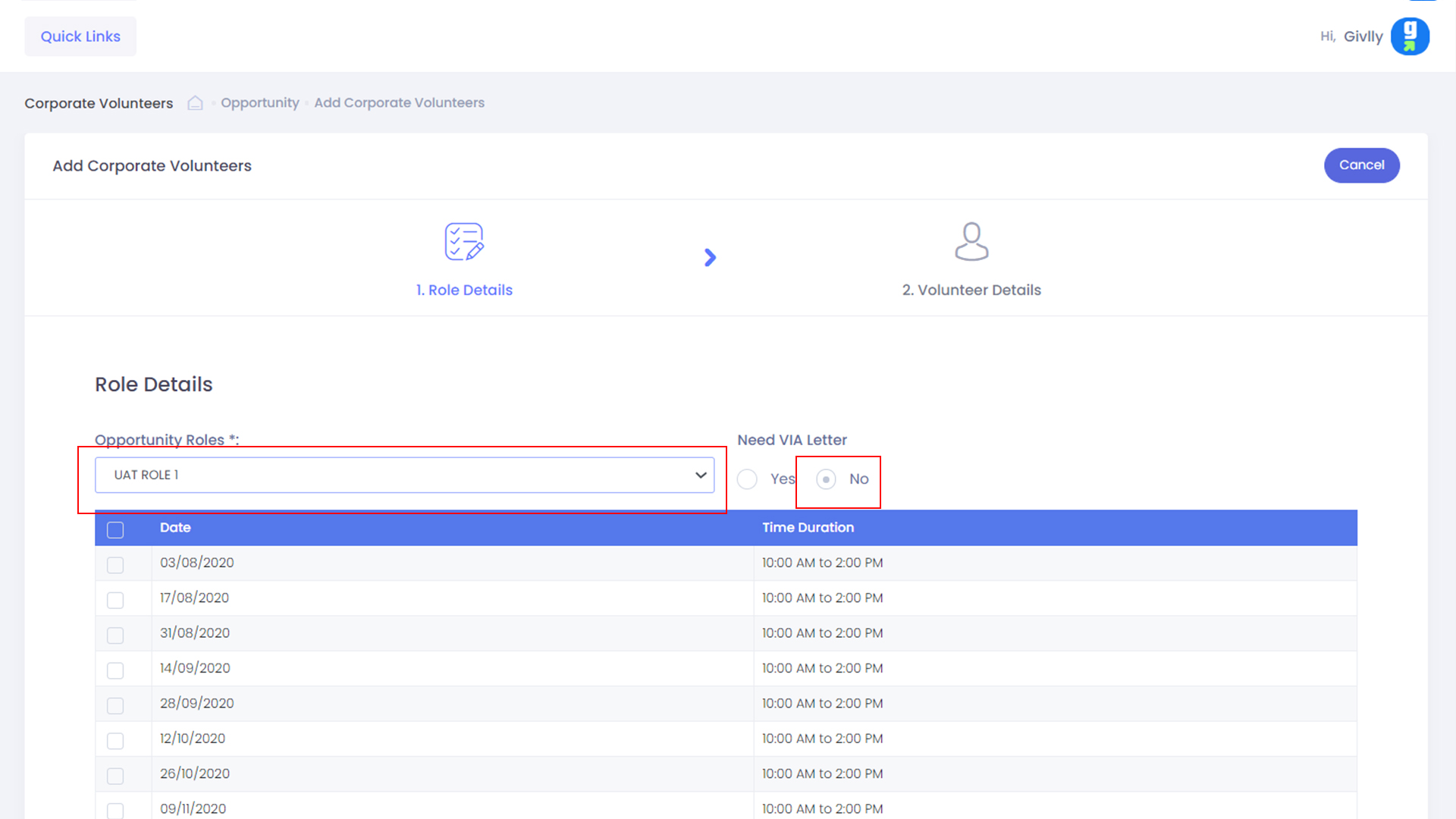
- Select the required Project Role and under VIA Letter, please select No
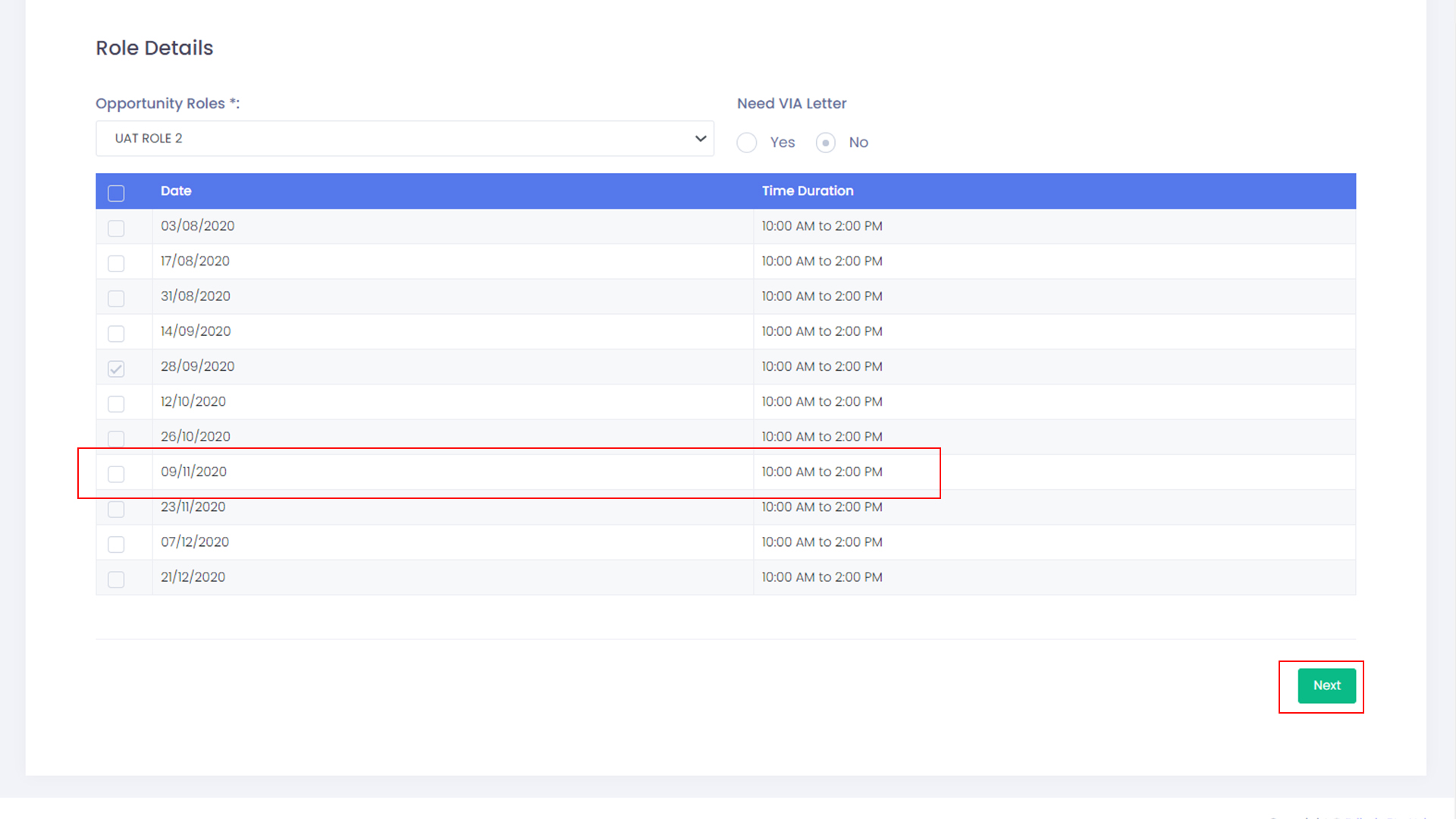
- Then please select the required time-slots and click the Next button
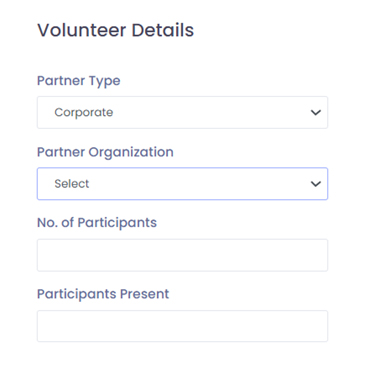
- Then please select the required partner type, partner organization and department.
Next, enter the total number of participants and total number of volunteer present.
After you are done, click the Submit button to save the data.