How to Pre-set Thank You message for your opportunity.
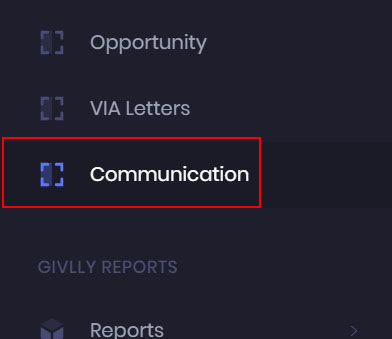
- Click on the Communication Module on the left sidebar of Givlly Dashboard.
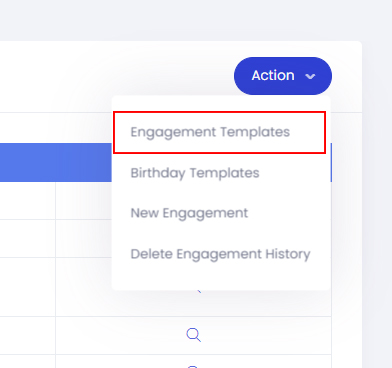
- On the Communication dashboard, click on the Action button and select Engagement Templates.
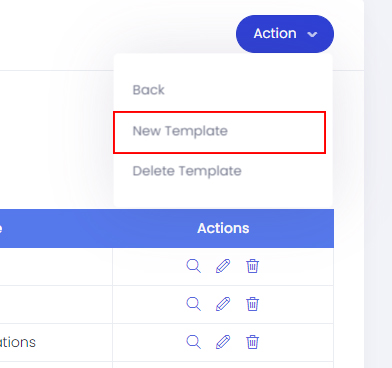
- In the Engagement Template pages, click on the Action button and select New Template.
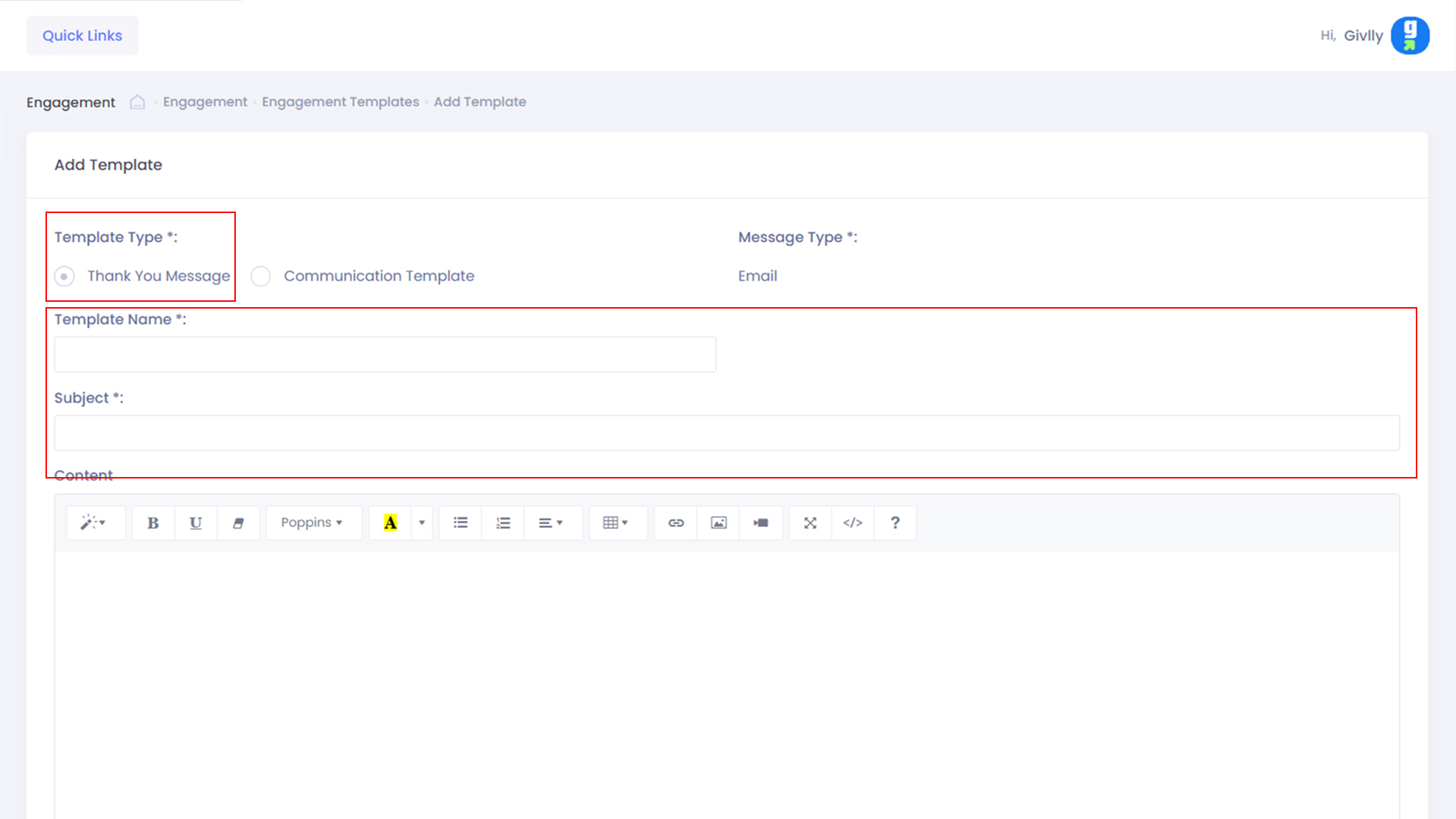
- First, select Thank You Message under Template type.
Next, enter the name of the template and the email subject.
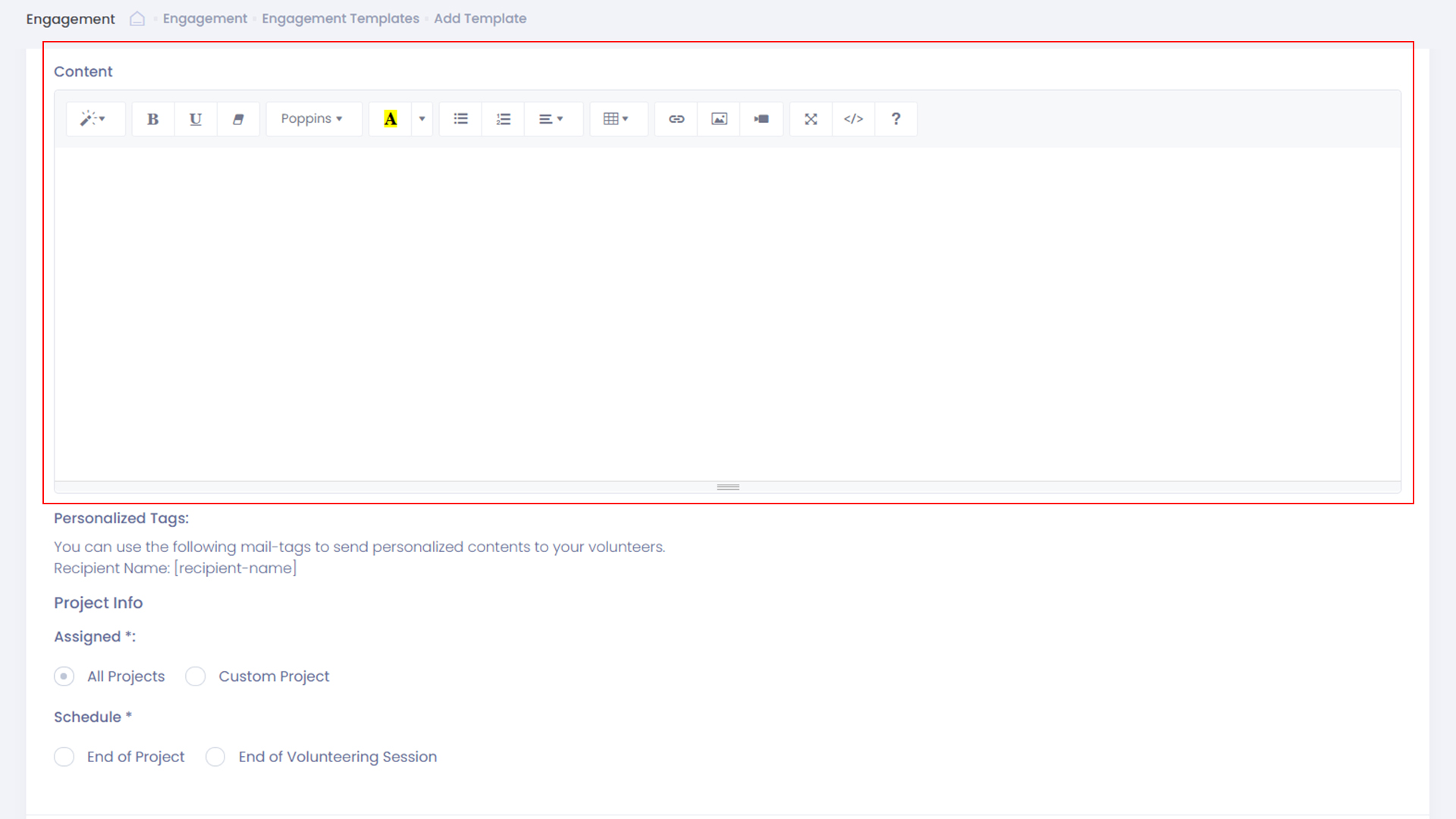
- Craft the content of the email in the message field.
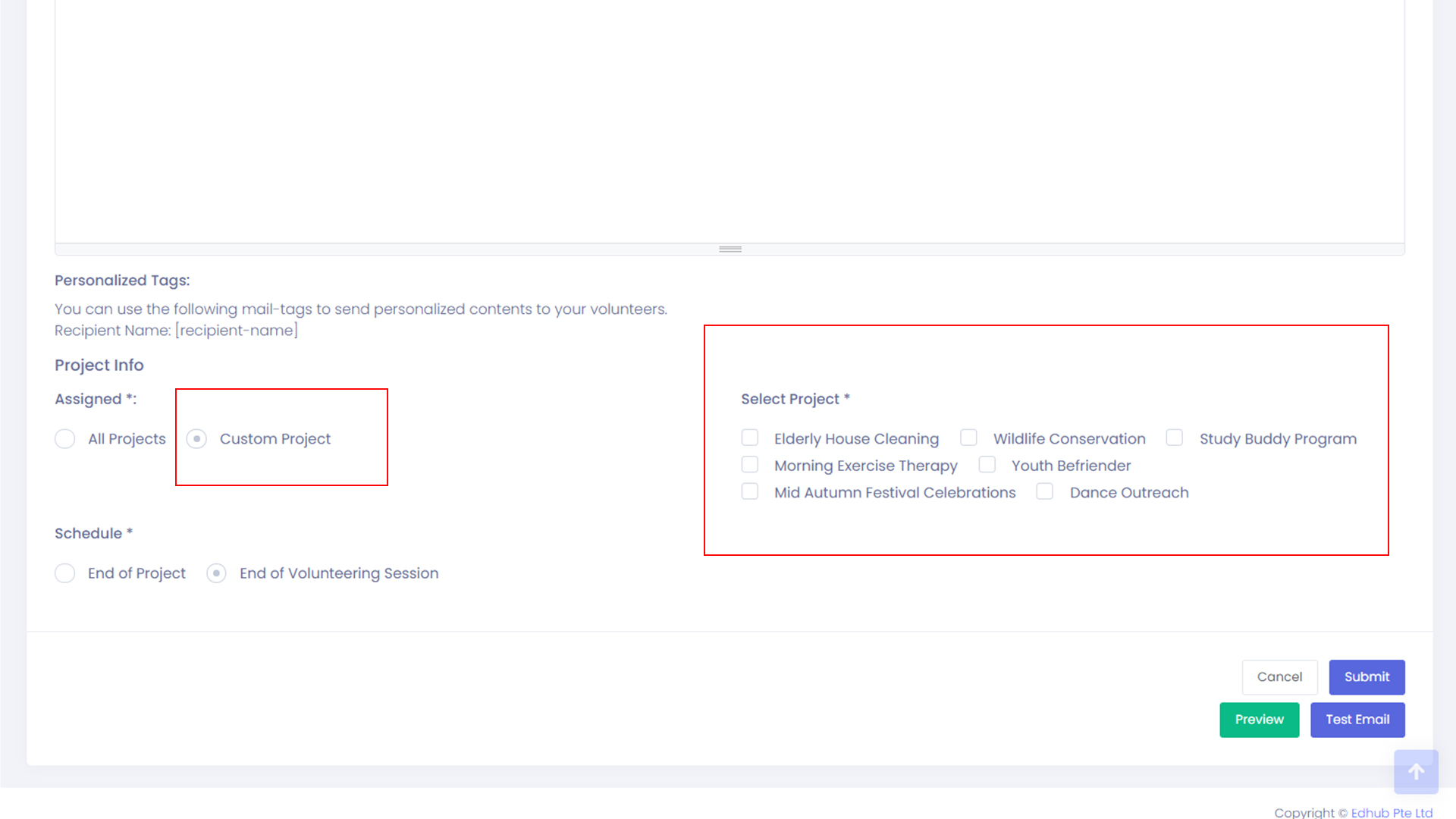
Under project info, you can opt to preset the template for All Projects or Custom Projects.
- If Custom Project is selected, please select the required project and move onto Send Schedule.
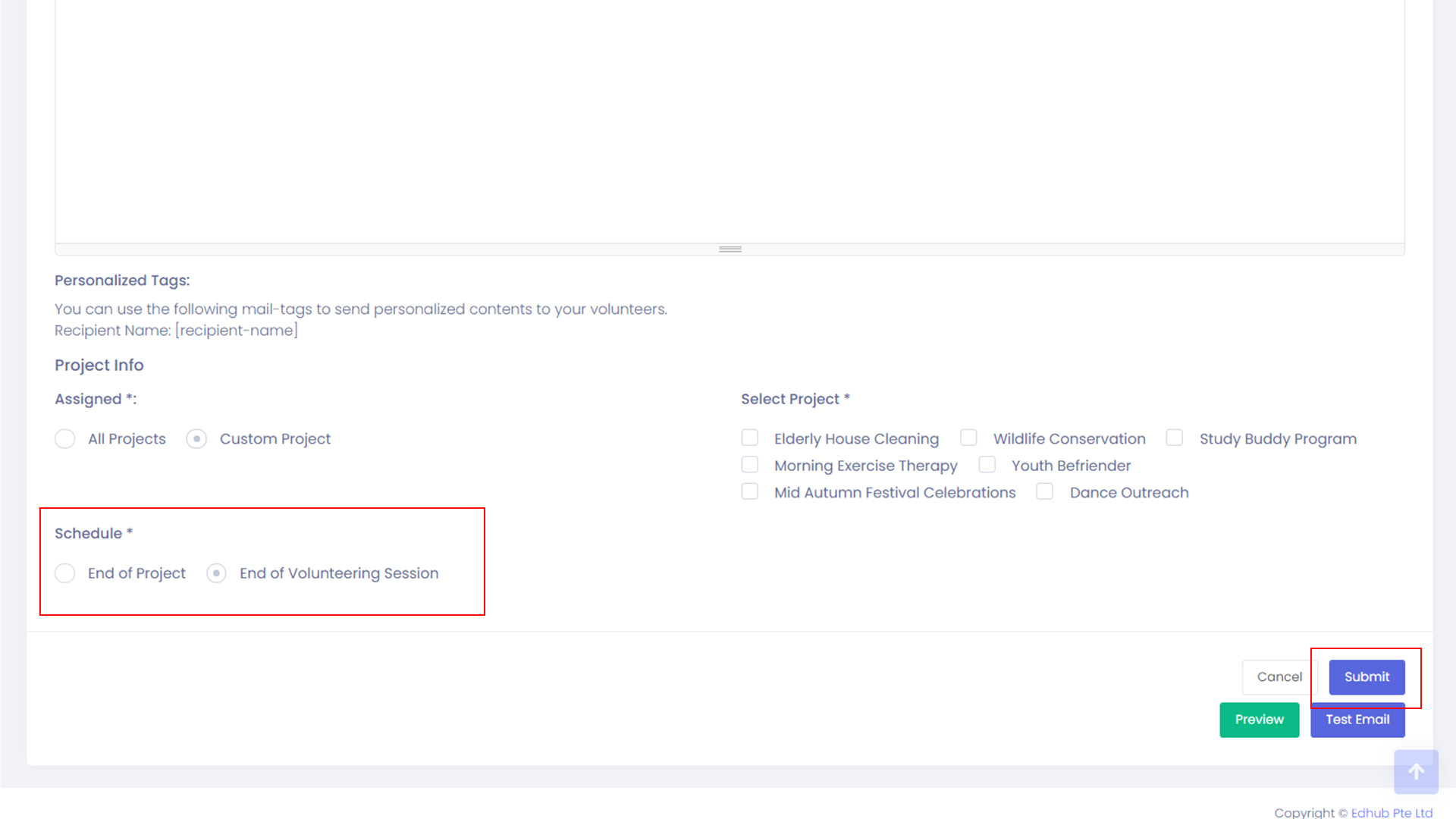
- There are 2 options under Send schedule – End of Project or End of Volunteering Session.
Please select the required send schedule and click the Submit button.