

Create a Volunteering Opportunity
Step 2 of 5 - Adding Reporting Venue
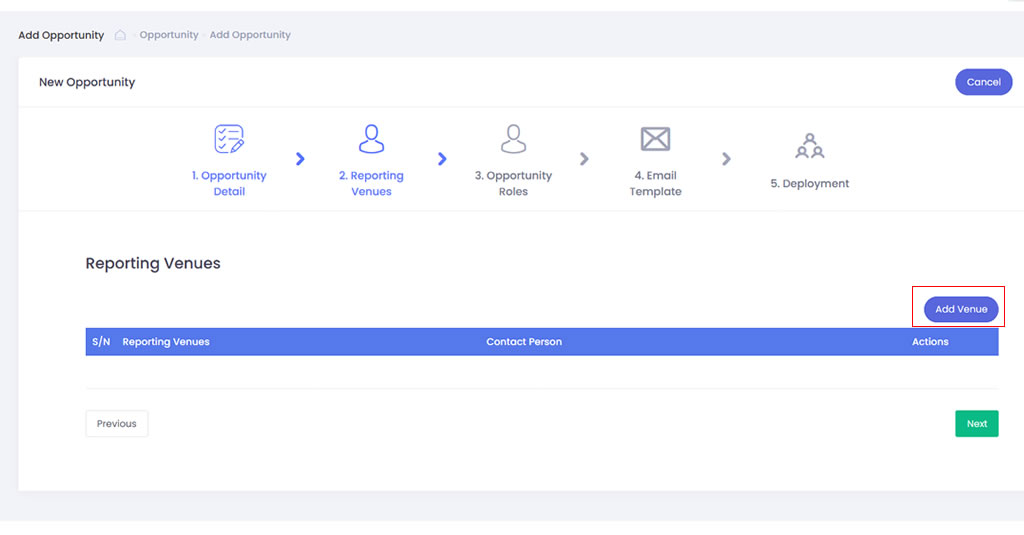
- Click onto Add Venue button to add the role require for the volunteering opportunity
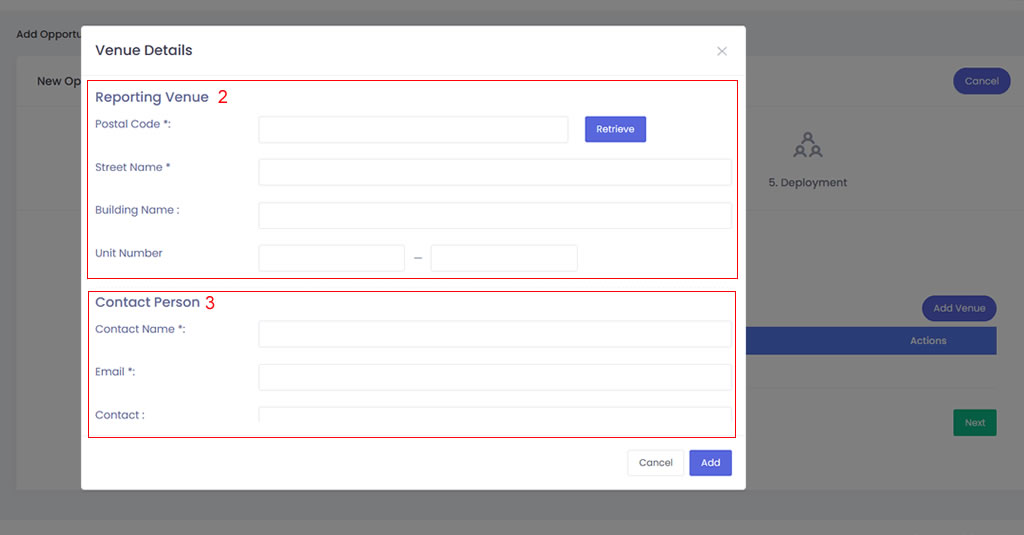
- From the Add Venue module, please input the Postal Code of the venue and click Retrieve to display the Street and Building names. You can opt to input the Unit Number if required,
- Next, please input the Contact Person’s name and email. If required, please input the Contact number.
- To add more venues, just repeat the same steps as above.