

Create a Volunteering Opportunity
Step 3 of 5 - Adding Volunteering Role
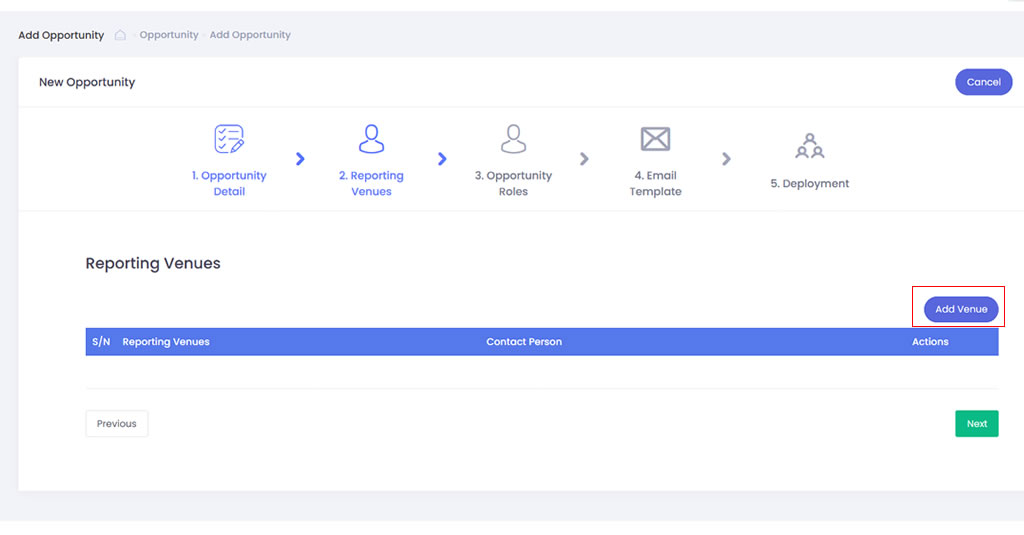
- Click onto Add Role button to add the role require for the volunteering opportunity
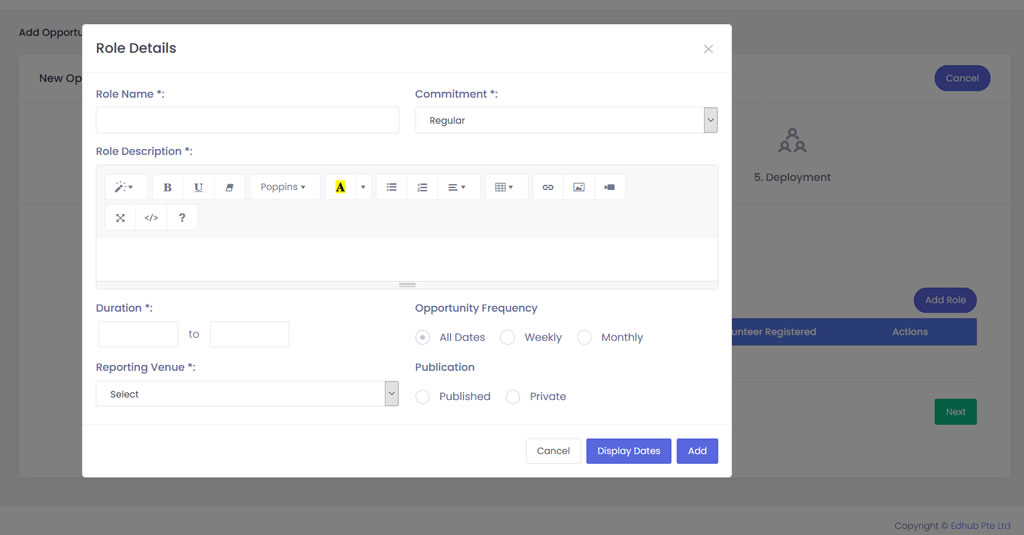
- From the Add Role modal, please input the name and description of the volunteer role in the Role Name and Description field respectively. Then under Commitment, you can select either Ad Hoc, Regular, Flexible or Group for the required commitment of the role.
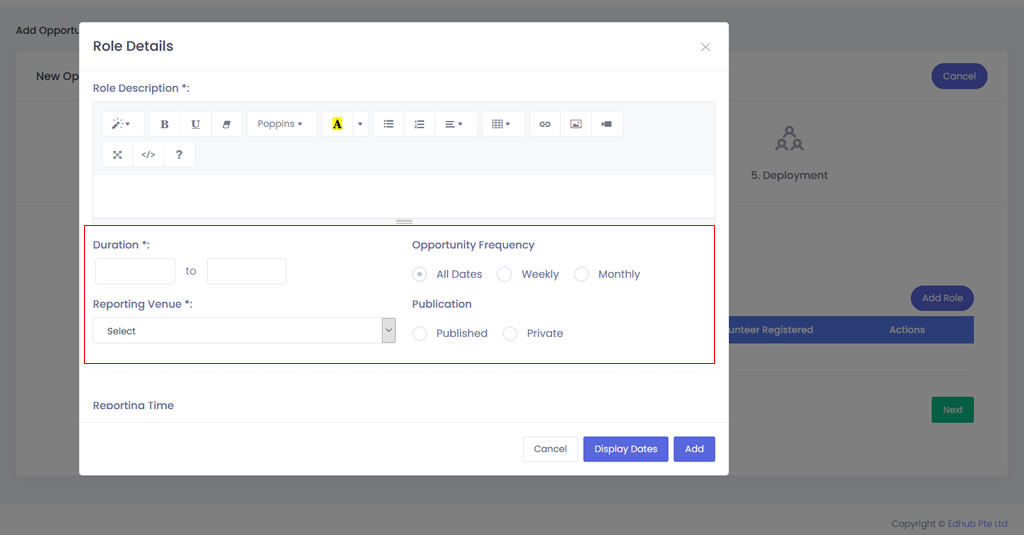
- Select the duration for the role.
- Select the frequency of the role, for example, if you choose the role is a weekly recurring role. The system will prompt you to set up the recurring role detail.
- Select the reporting venue for the role
- Select “Published” if you wish to make the role public on both your website and volunteer app.
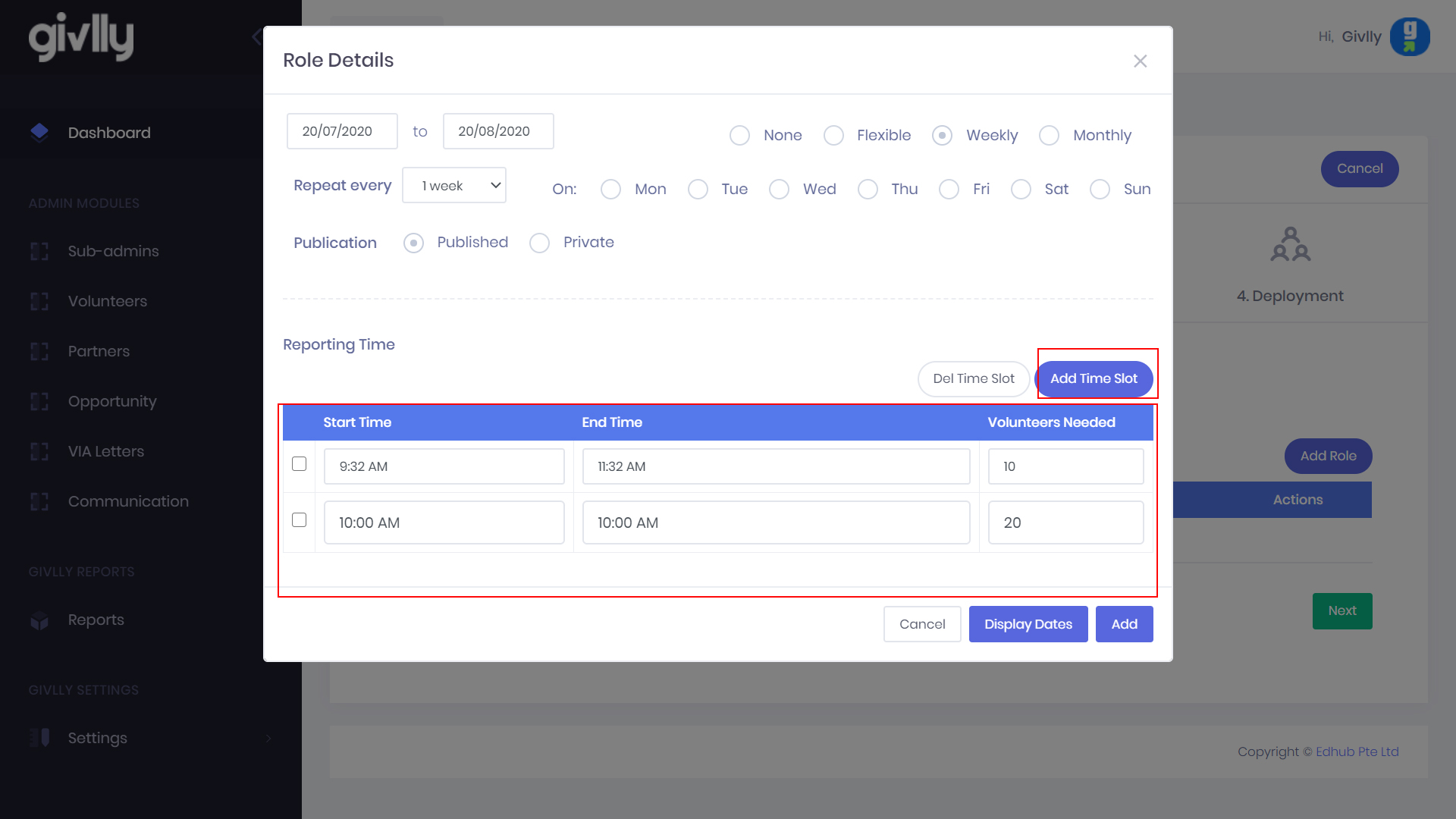
- Set up the timeslot for the role and also the recruitment quota for each time slot schedule. If you need to create more timeslots, click on the Add Time Slot button.
- Click Add button to complete the set up of the volunteer role.