

Create a Volunteering Opportunity
Step 4 of 4 - Deploying Your Volunteering Opportunity
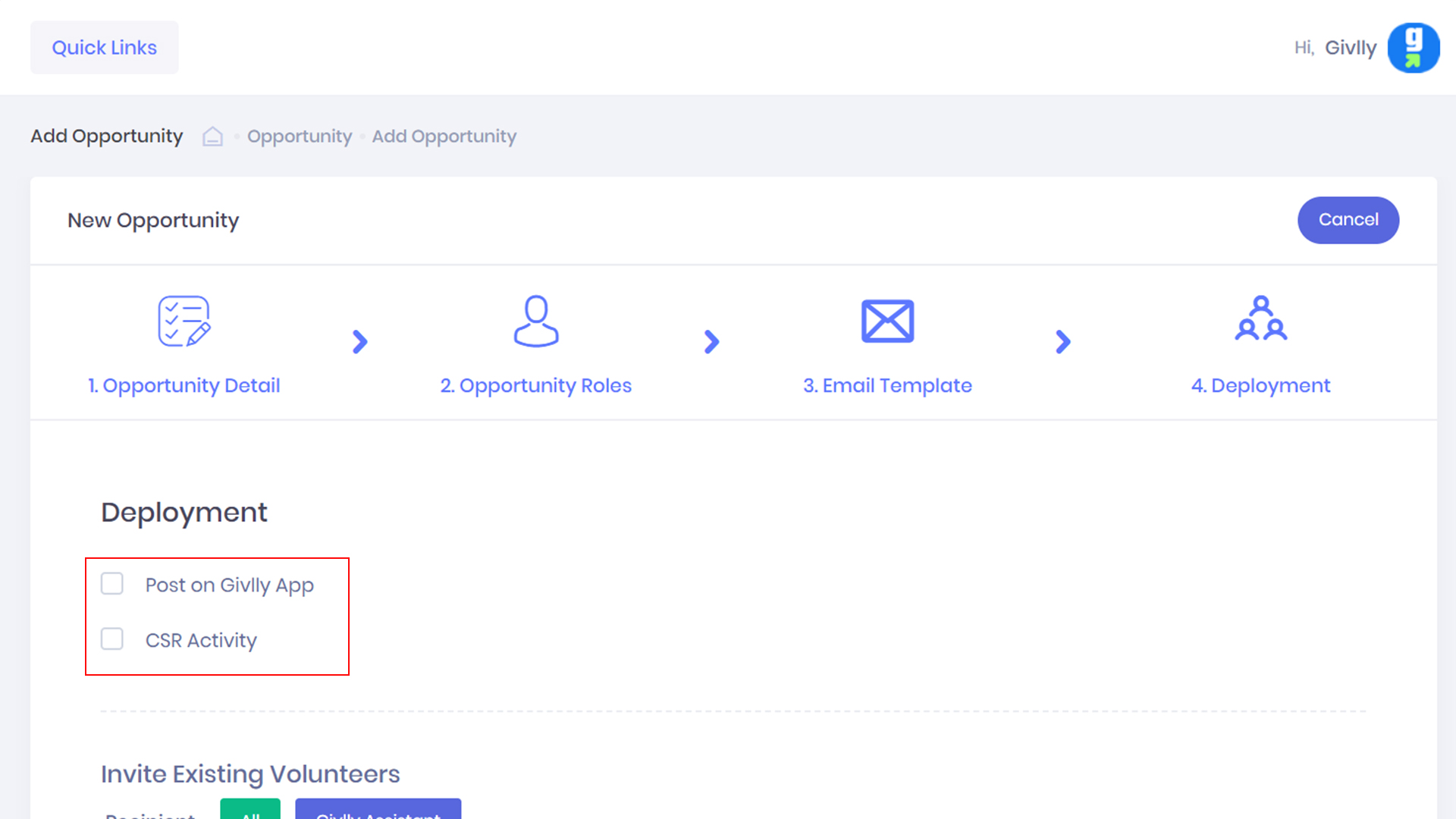
- The system also gives you the option to post your opportunity on Givlly App and also if volunteering opportunity this a CSR-initiated project, please select CSR Activity.
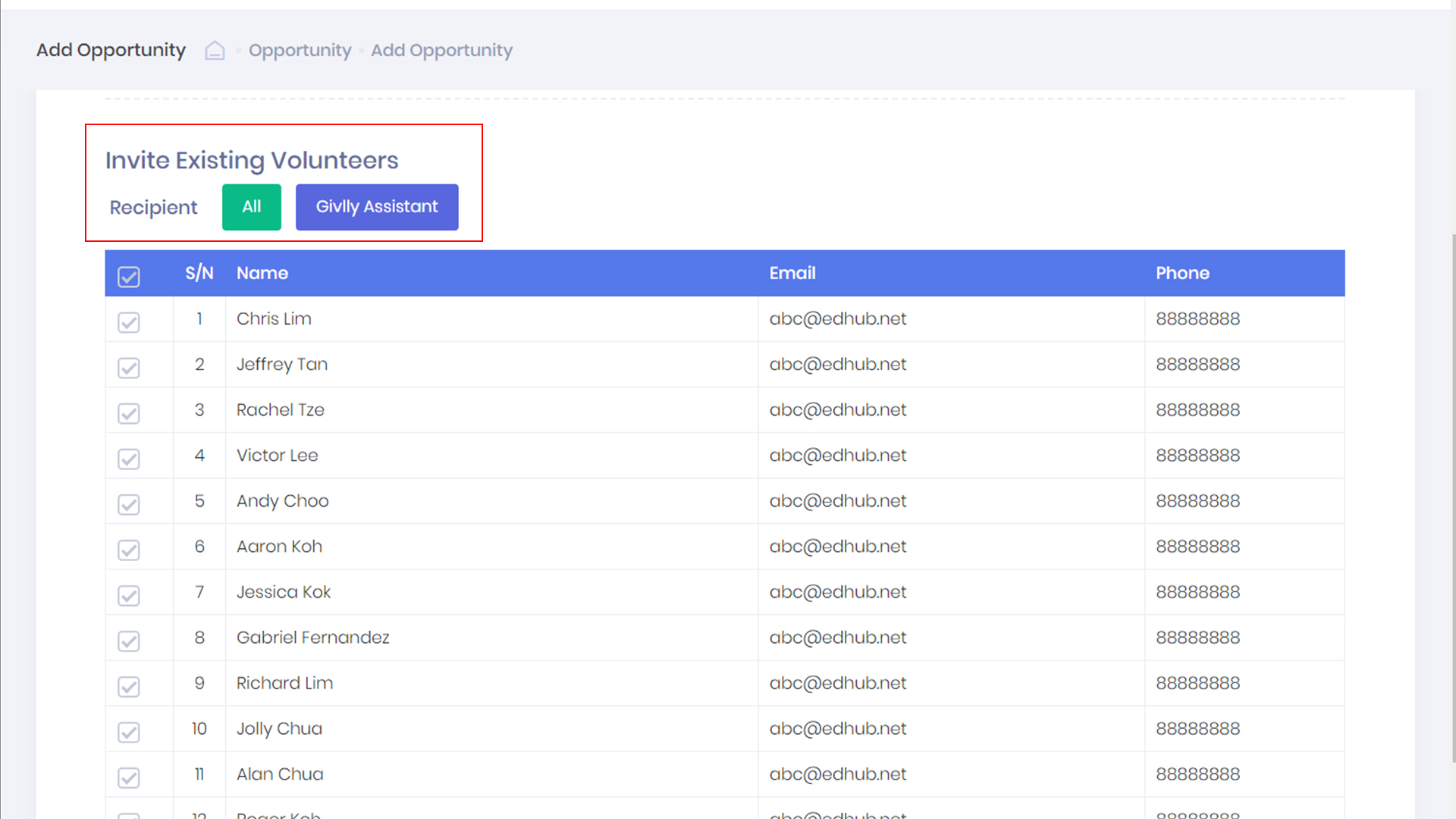
- You can set who will receive the volunteering opportunity either using the All Button to send the invite to every volunteer in your Givlly database or use Givlly Assistant Button to create a more targeted email list.
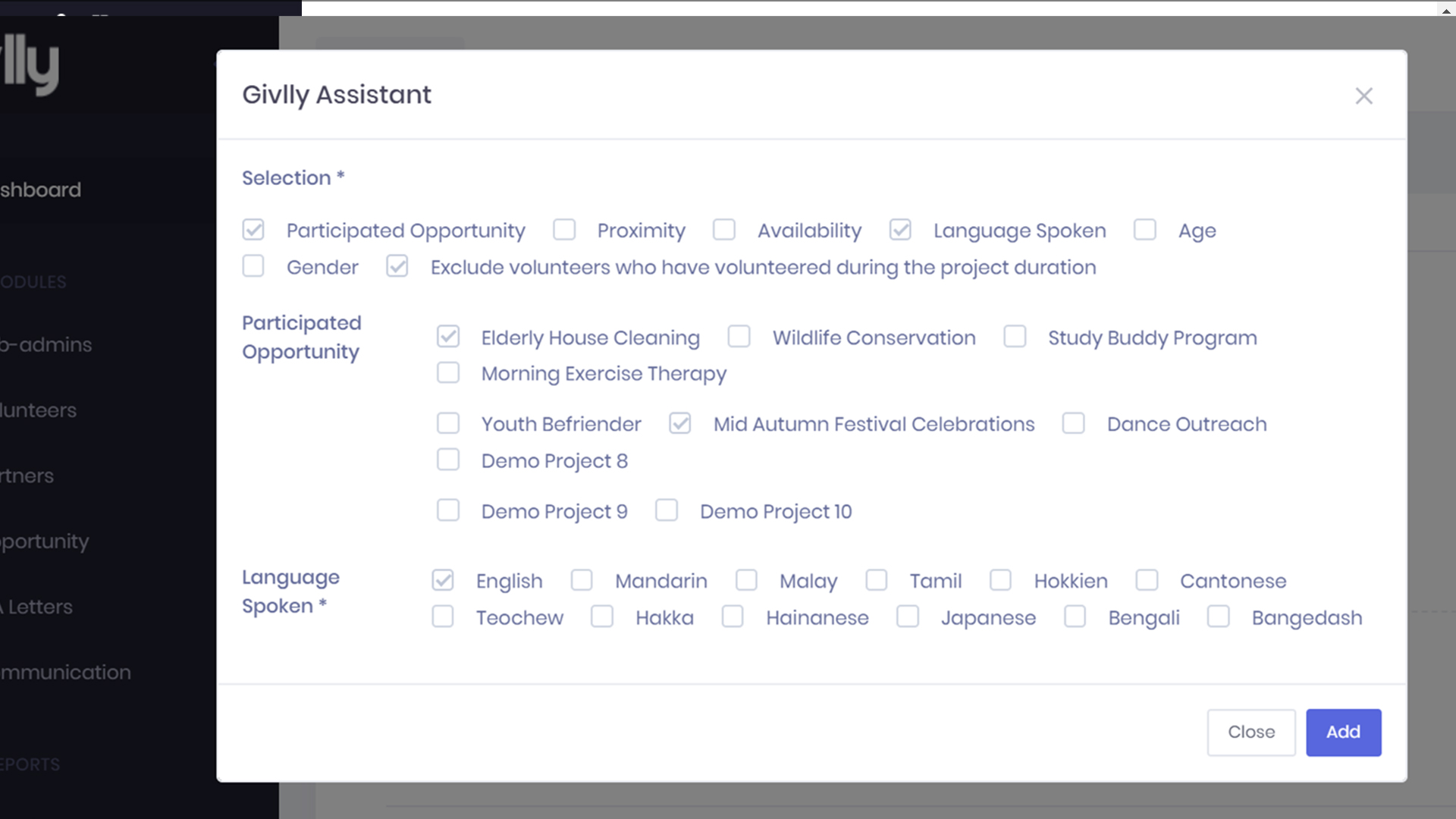
- Click on the Givlly Assistant button, and set parameters to filter your volunteers’ database to find volunteers who match your volunteering opportunity.
- You can set the following:
- Participated Opportunity – Givlly will filter based on similar opportunity participated by the volunteers
- Proximity – Givlly will filter based on the proximity of the volunteers to the reporting venue.
- Availability – Givlly will filter based on volunteer’s availability.
- Language Spoken – Givlly will filter based on the volunteer’s language spoken.
- Age – Givlly will filter based on volunteer’s age
- Gender – Givlly will filter based on volunteer’s gender
- Exclude volunteers who have volunteered during the project duration – Givlly will exclude the list of volunteers who have already volunteered during the same duration
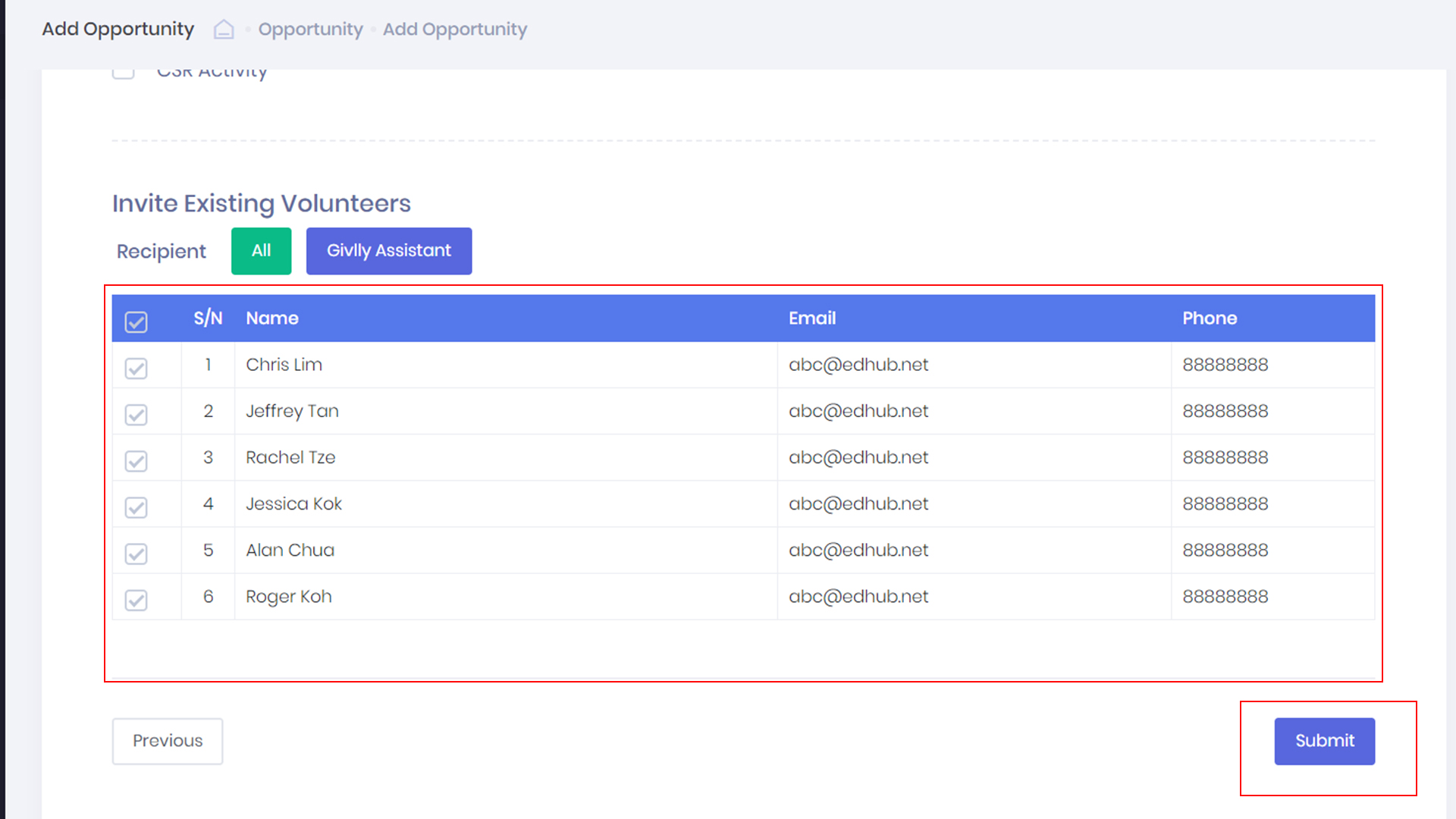
- Lastly, click the Submit button to complete the creation of the new volunteering opportunity