

Add Volunteer to the Opportunity
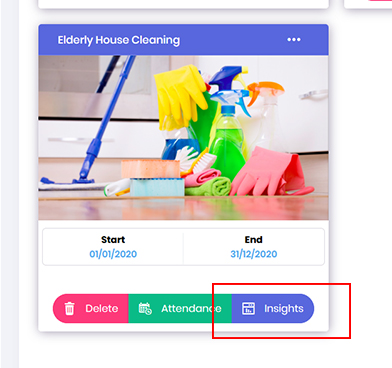
- To add a new volunteer to a volunteering opportunity.
In the Opportunity dashboard locate the required project and click on the Insights button.
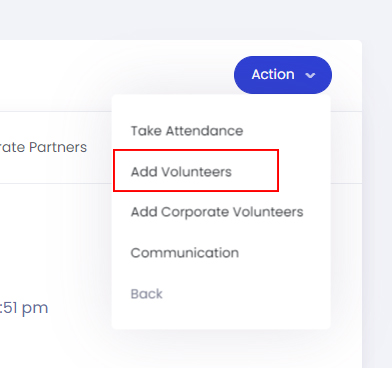
- In the Opportunity Insight dashboard, click on the Action button and select Add Volunteers.
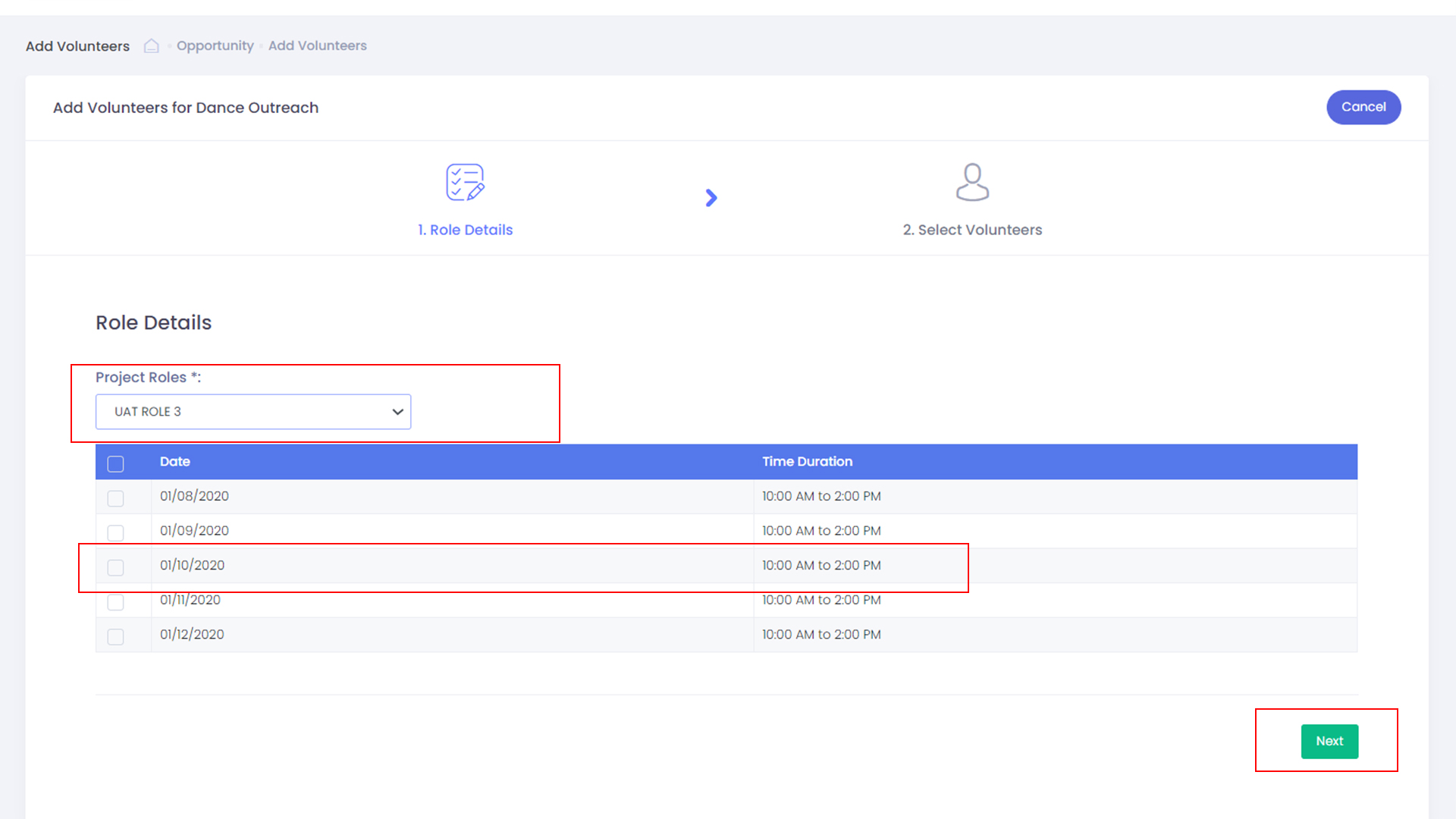
- Select the required Project Role and the required time-slots, next click the Next button to continue.
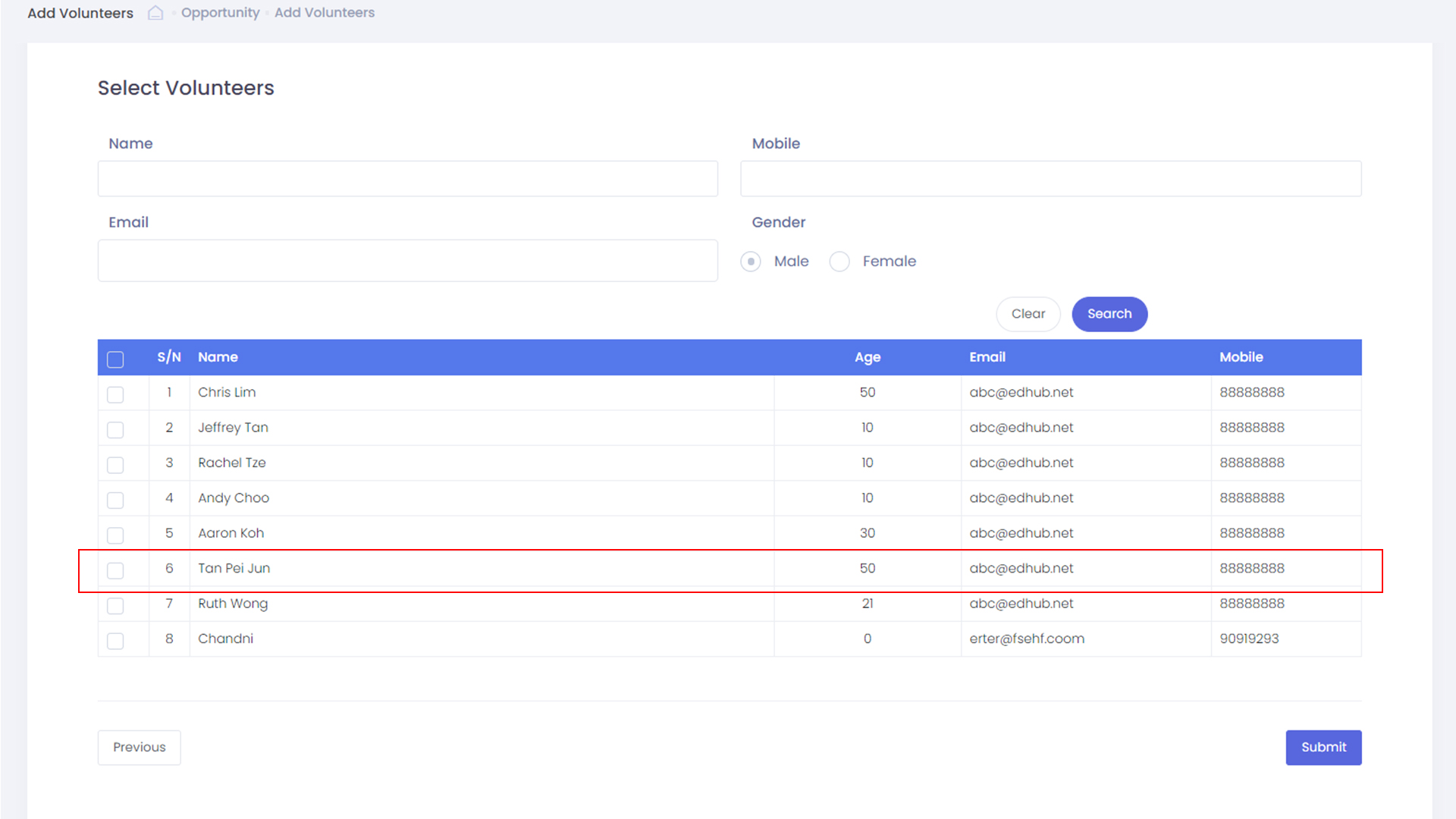
- Select the volunteer from your volunteer database and click the Submit button to add the volunteer to the Opportunity.