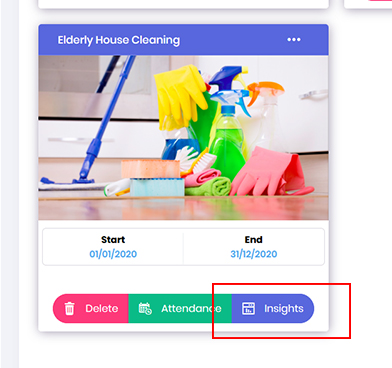
- In an event, if you need to create groupings for your group role. Go to Opportunity dashboard, locate the required project and click onto Insights button.
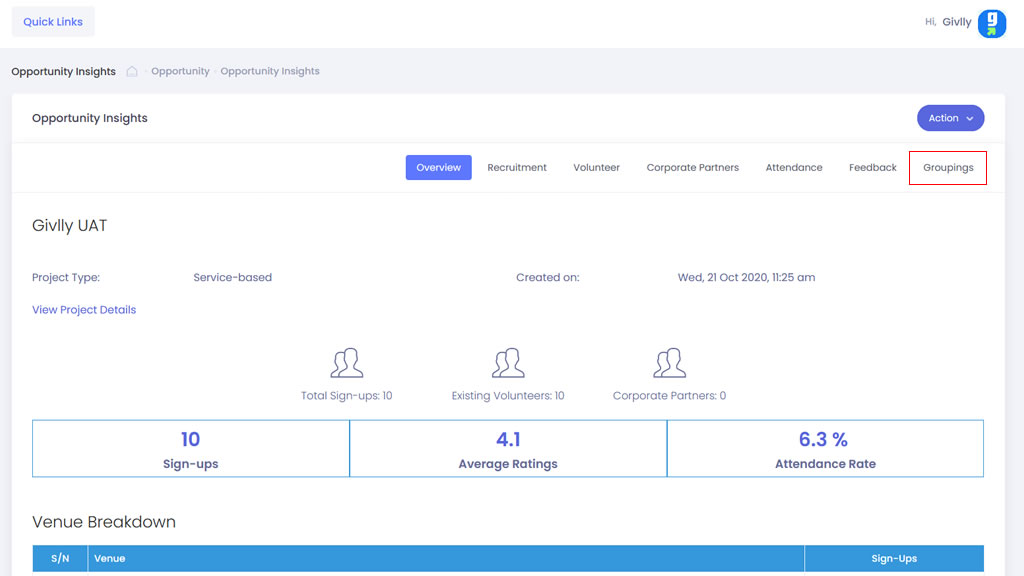
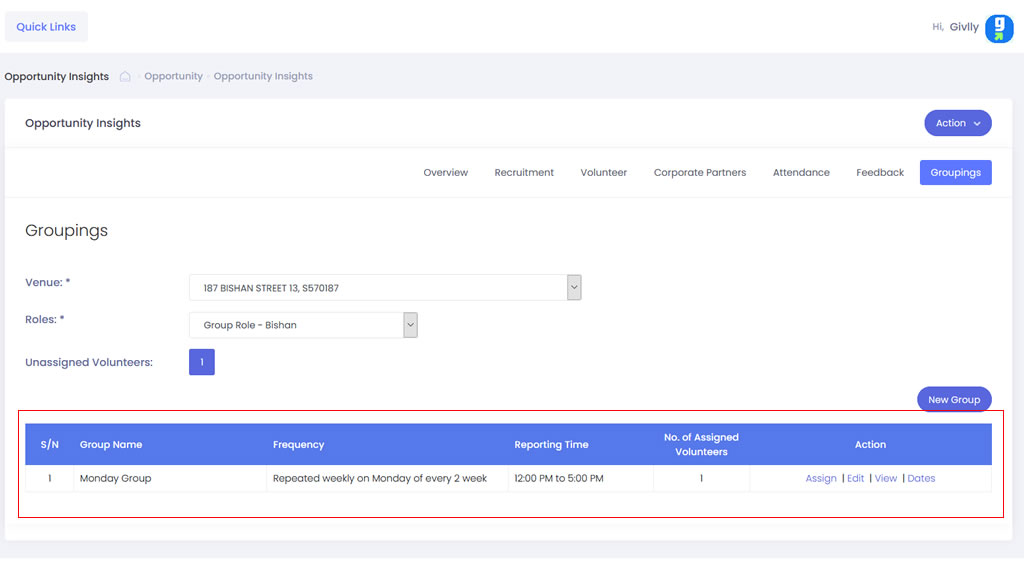
- In the Opportunity Insight dashboard click onto the Groupings tab
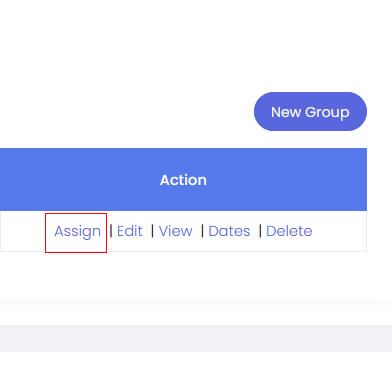
- Go to the Setting Tools and click onto Assign button to start assigning volunteers to the group.
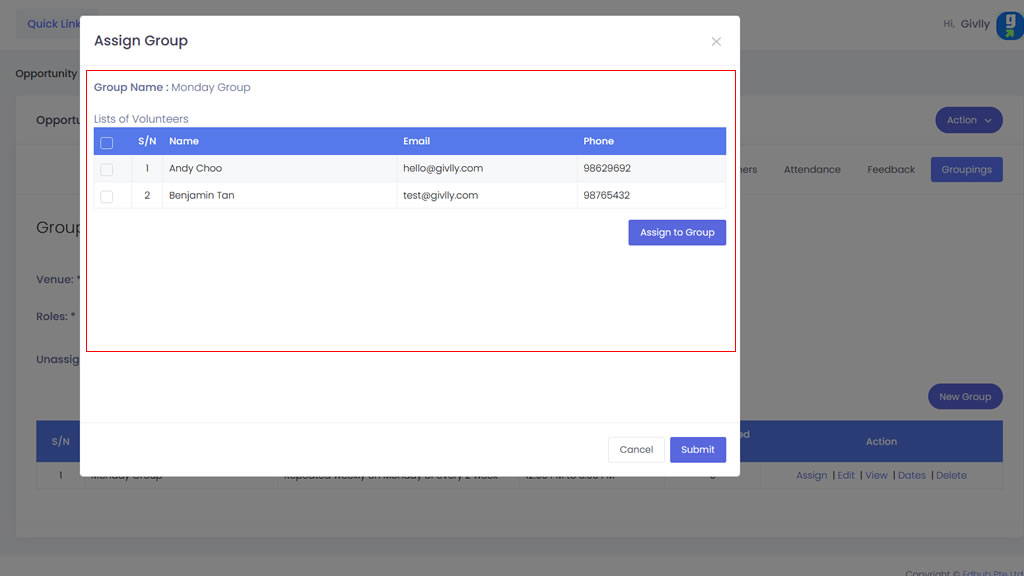
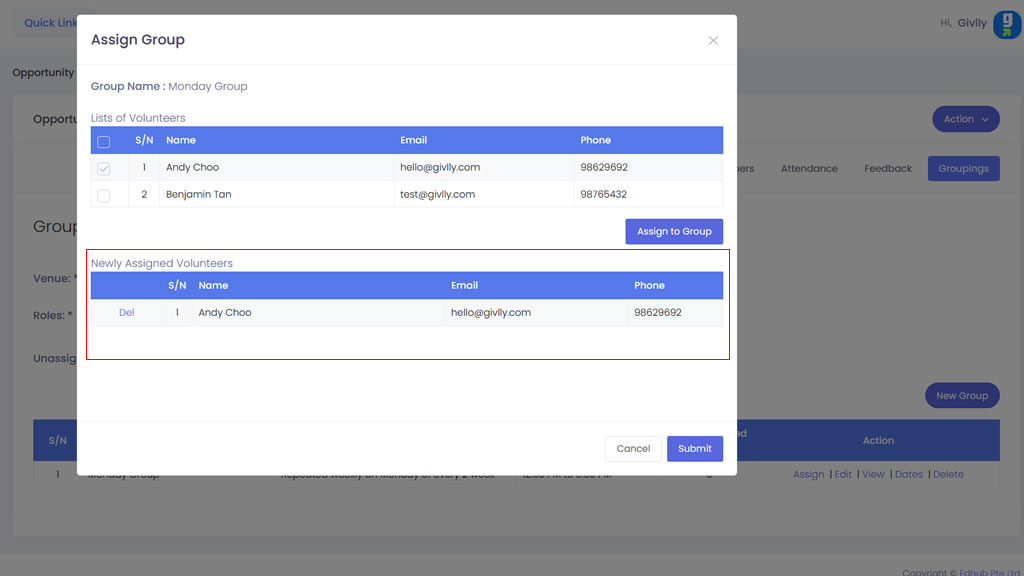
- Select the volunteers that you intend to assign to the volunteer group. And once that is done, click on Assign Group button.
- Review the selection. And once that is done, click on Submit button.
- Your assignment will be listed in the Grouping Dashboard. To assign more volunteers, just repeat the same steps as above.