Taking Volunteer Attendance
- As the admin, you can input the attendance of the volunteers for tracking purposes.
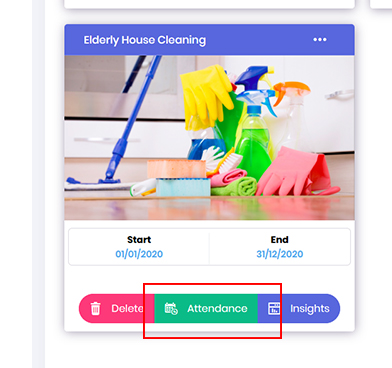
Go to the Opportunity dashboard, locate the required volunteering project and click onto the Attendance button.
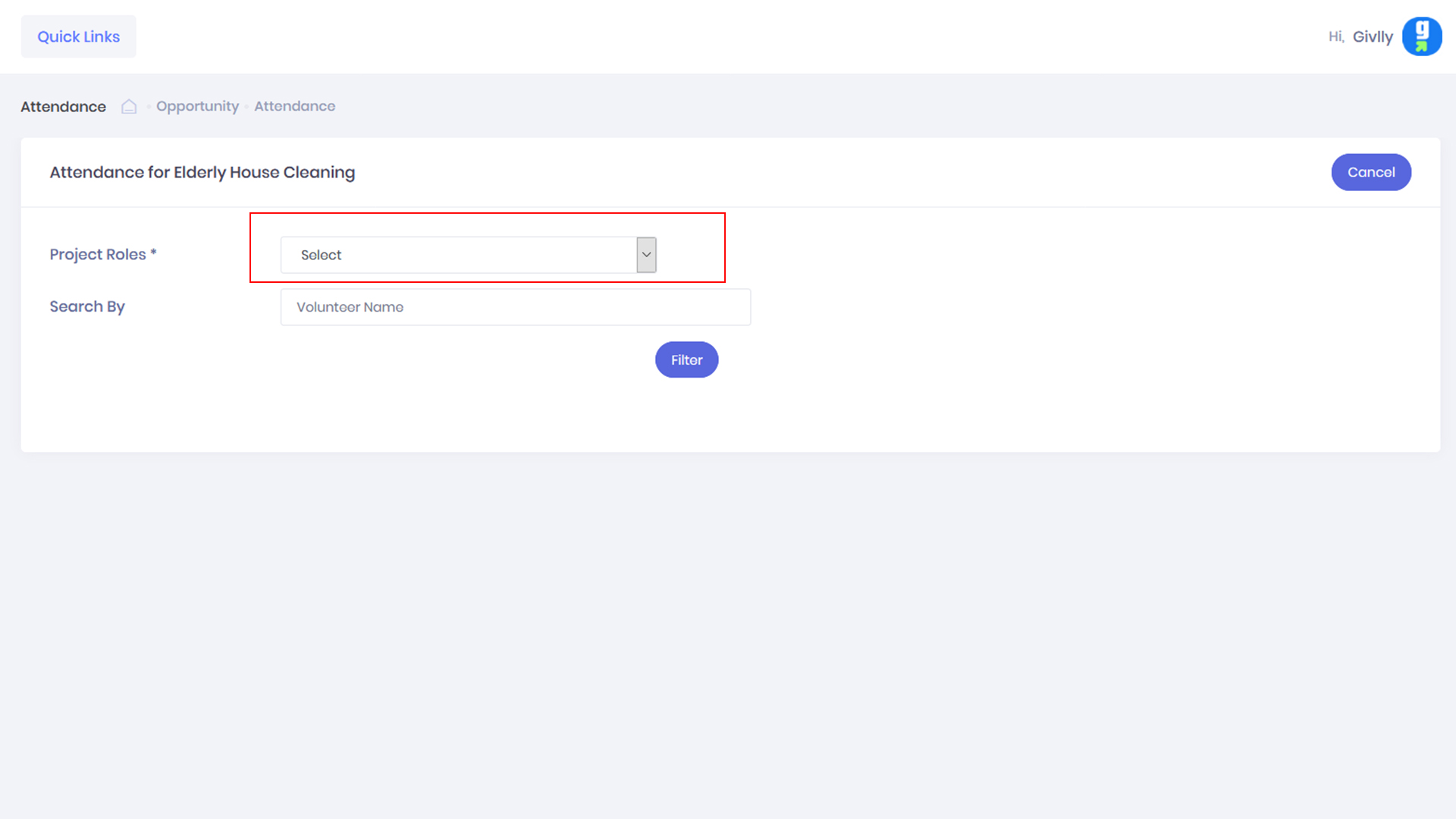
- On the Attendance dashboard select the required role.
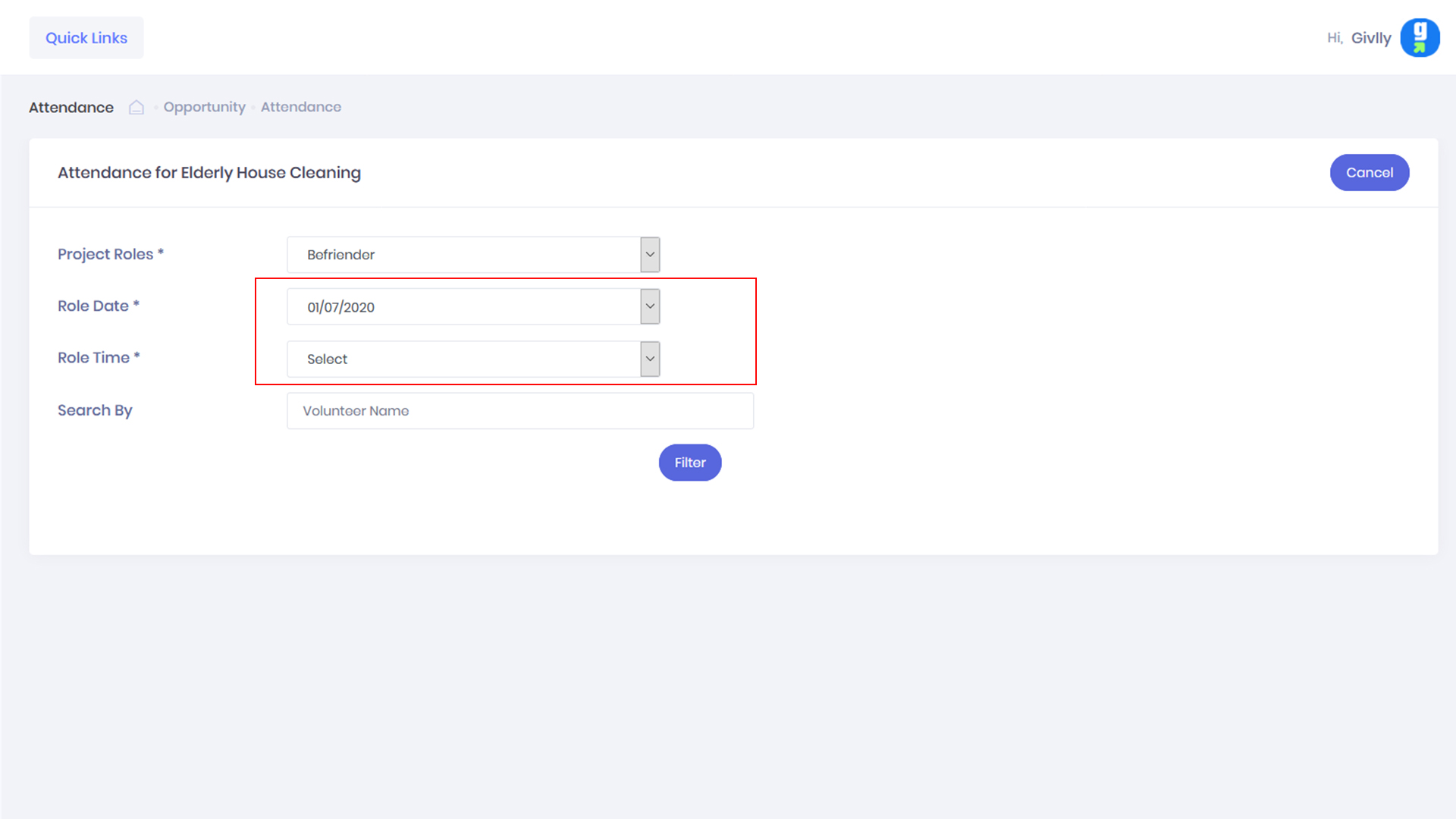
- After selected role, you will be able to select the required date and time for that volunteer role.
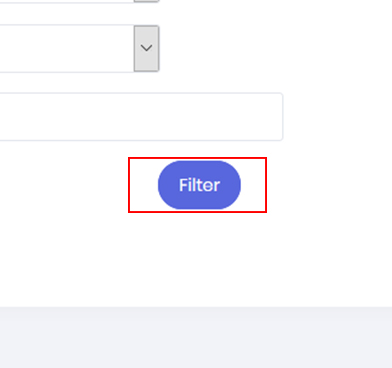
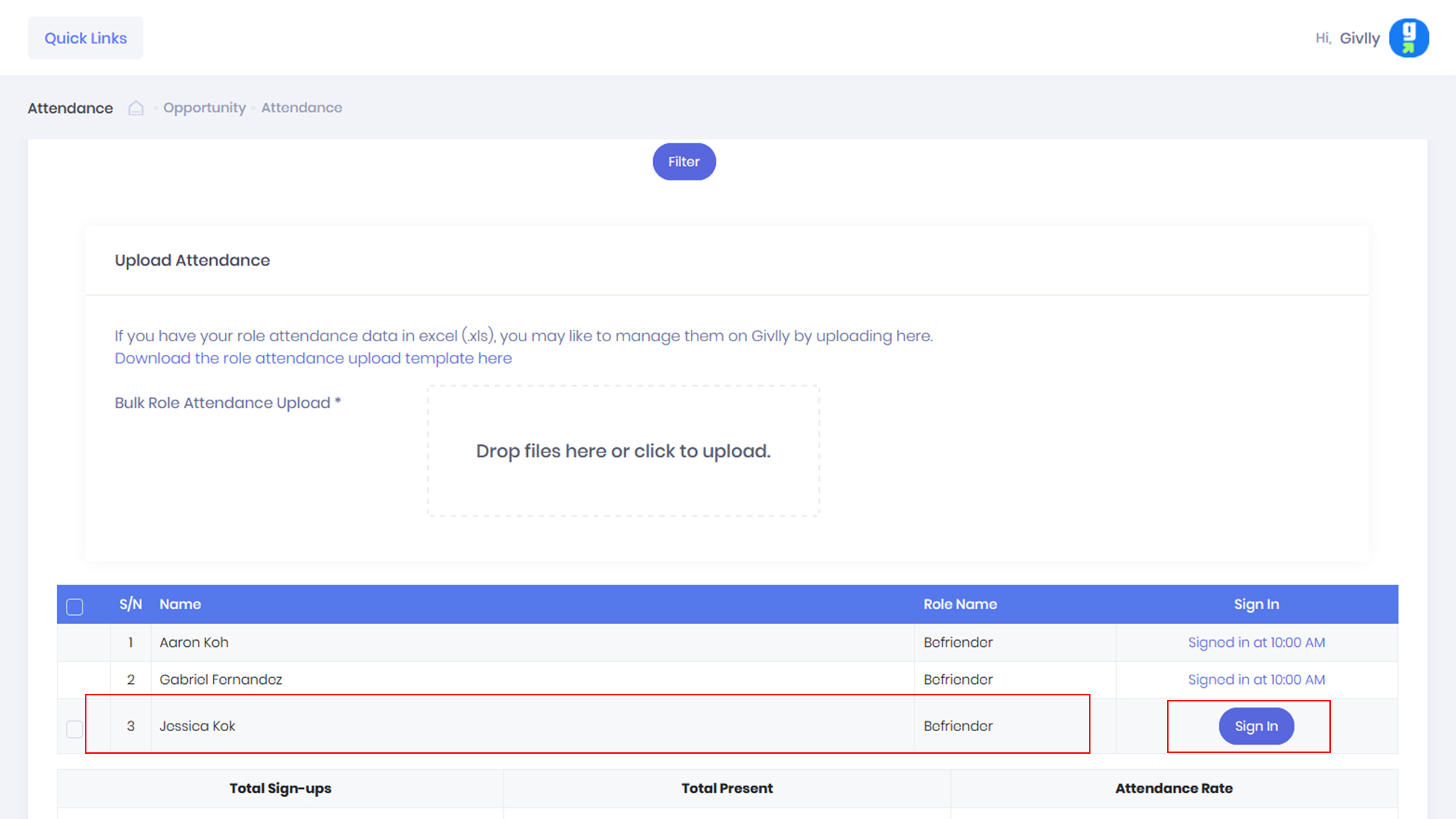
- Click Filter button to display the list of registered volunteers
- In the filtered list, locate the volunteers that have yet to sign in and clicked Sign-in button
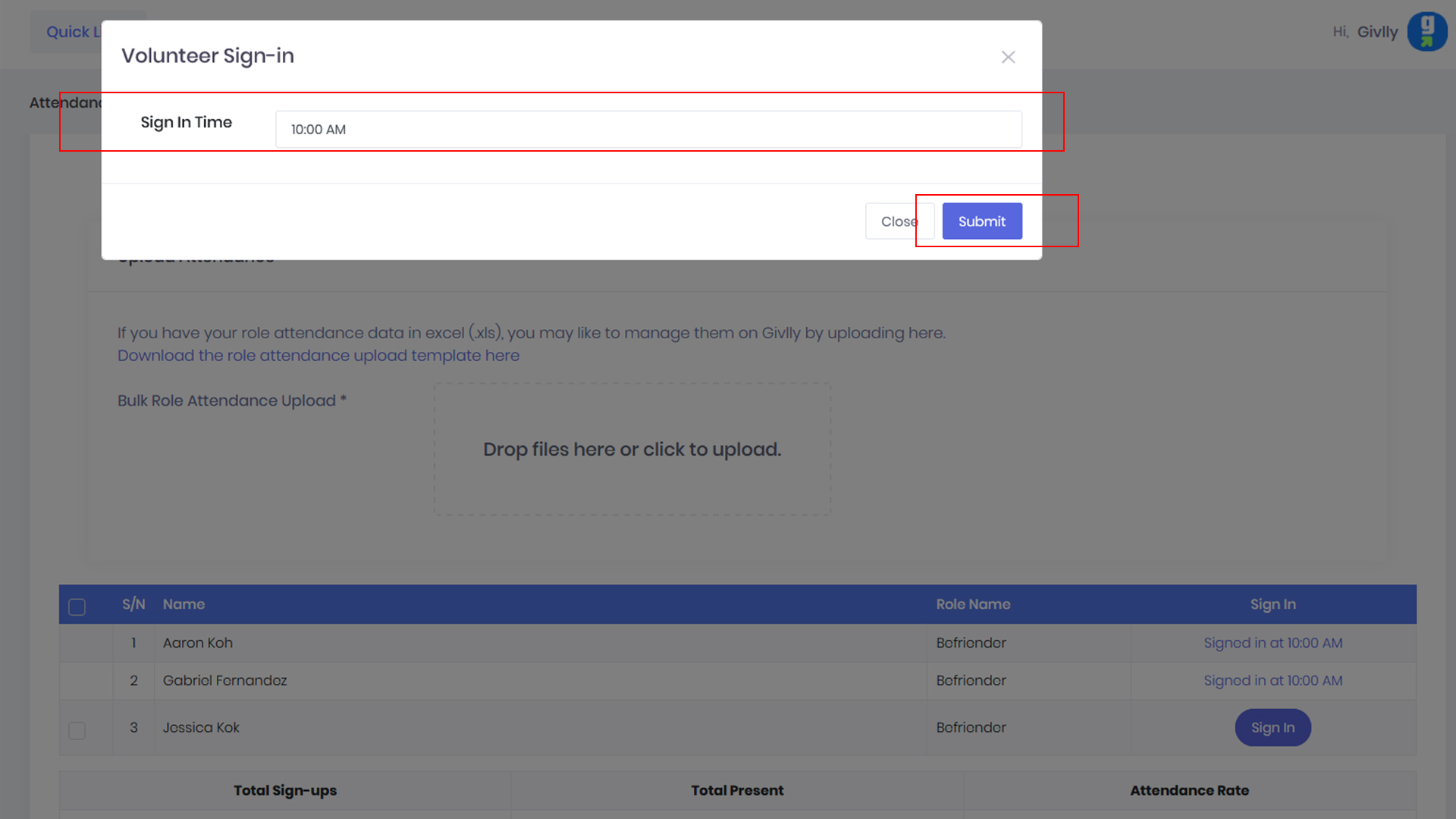
- Then enters the volunteer sign-in time and click the Submit button to complete the manual sign in for the volunteer.