- Volunteer manager can also create multiple volunteer accounts via mass excel upload
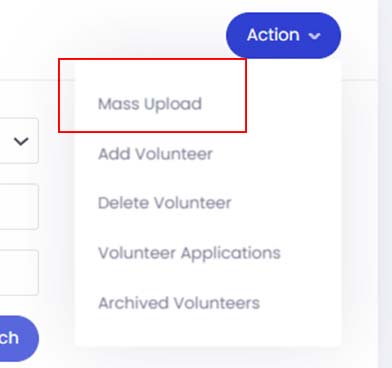
From the Volunteer module, please click on Action button and select Mass Upload.
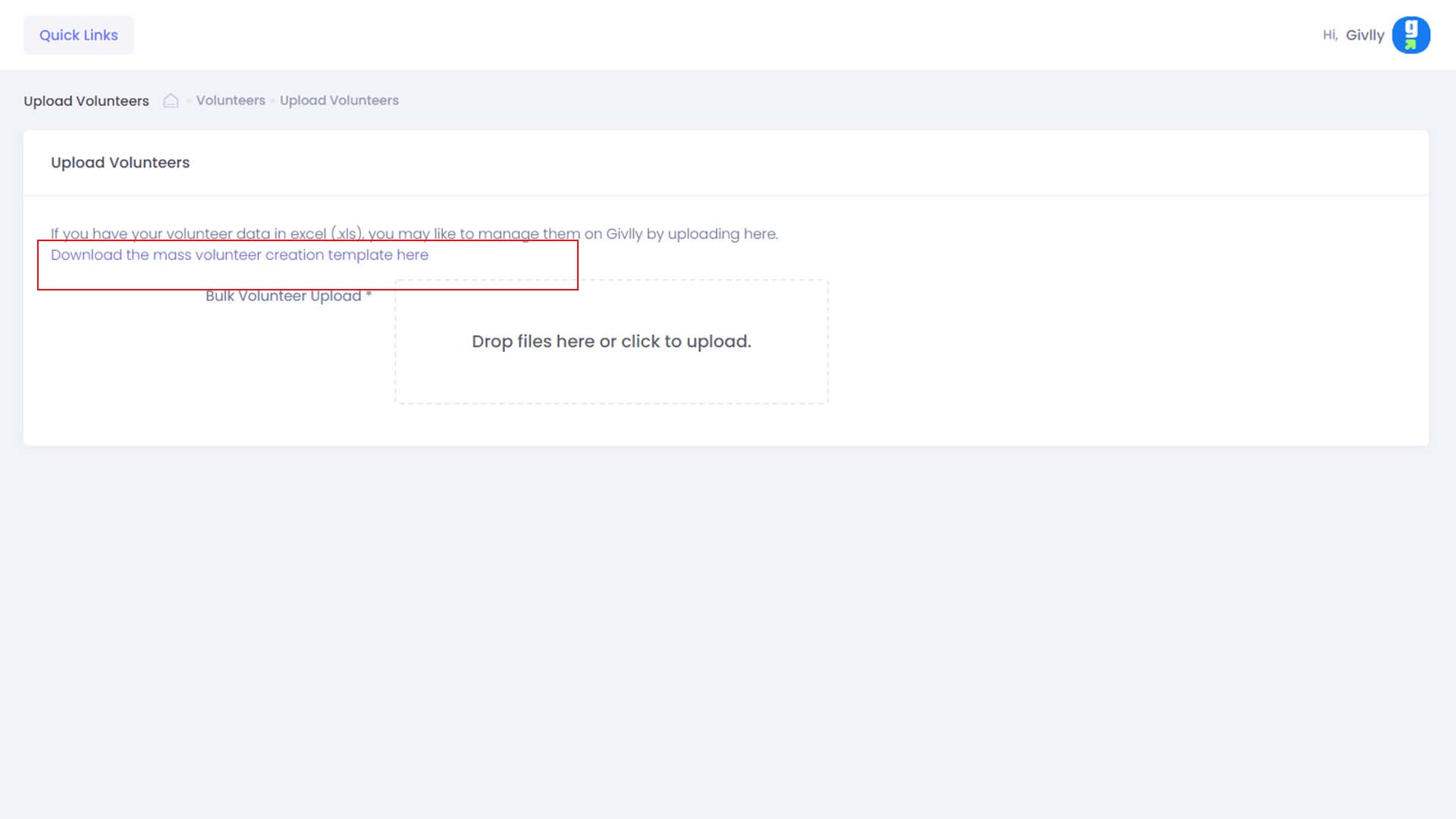
- Download the pre-created excel template by clicking on this link provided:
Download the mass volunteer creation template here
Next, enters the volunteer details into the excel template you have downloaded.
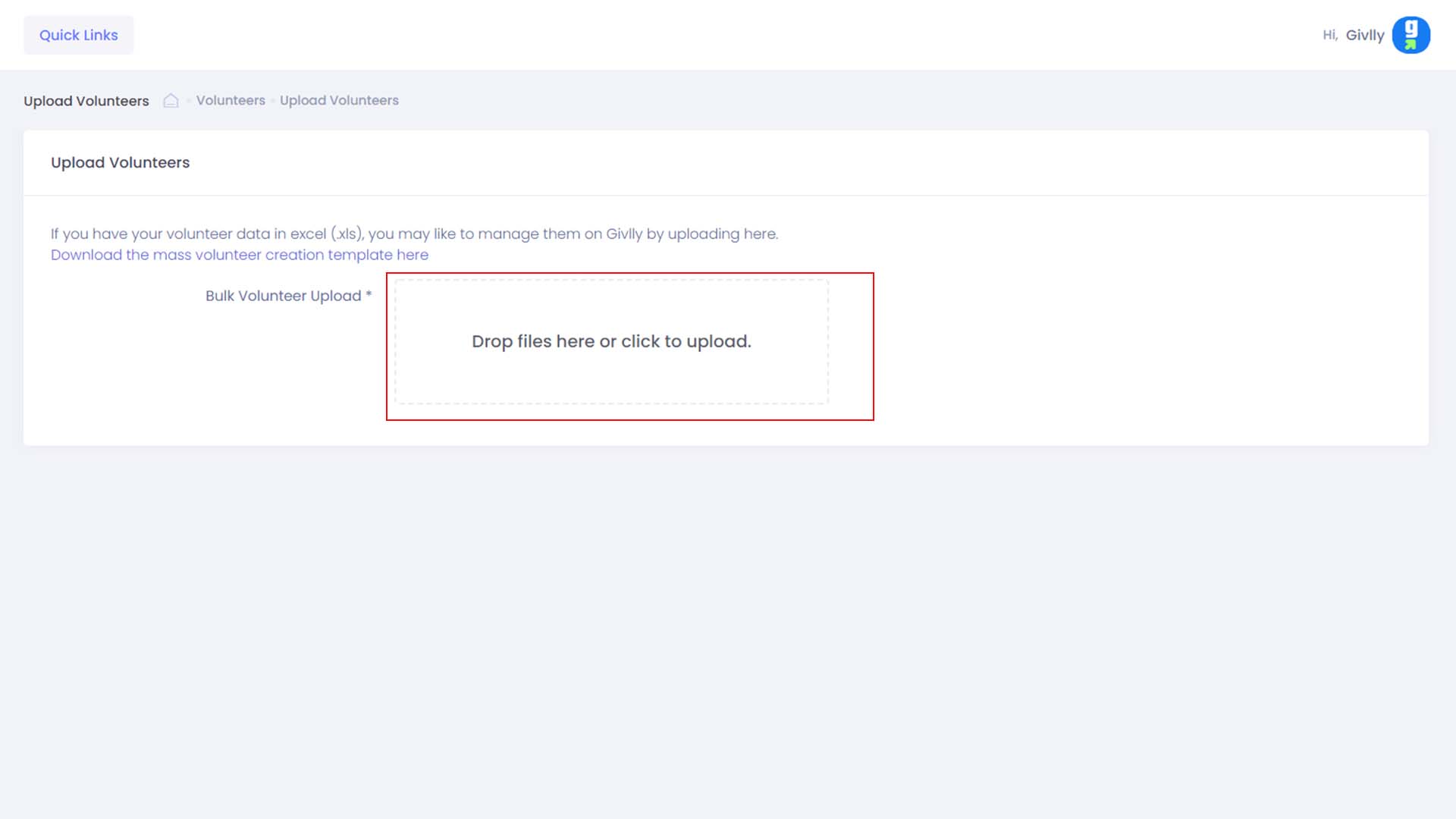
- Click on the Drop File Here link to upload your volunteers excel template into to Givlly system.
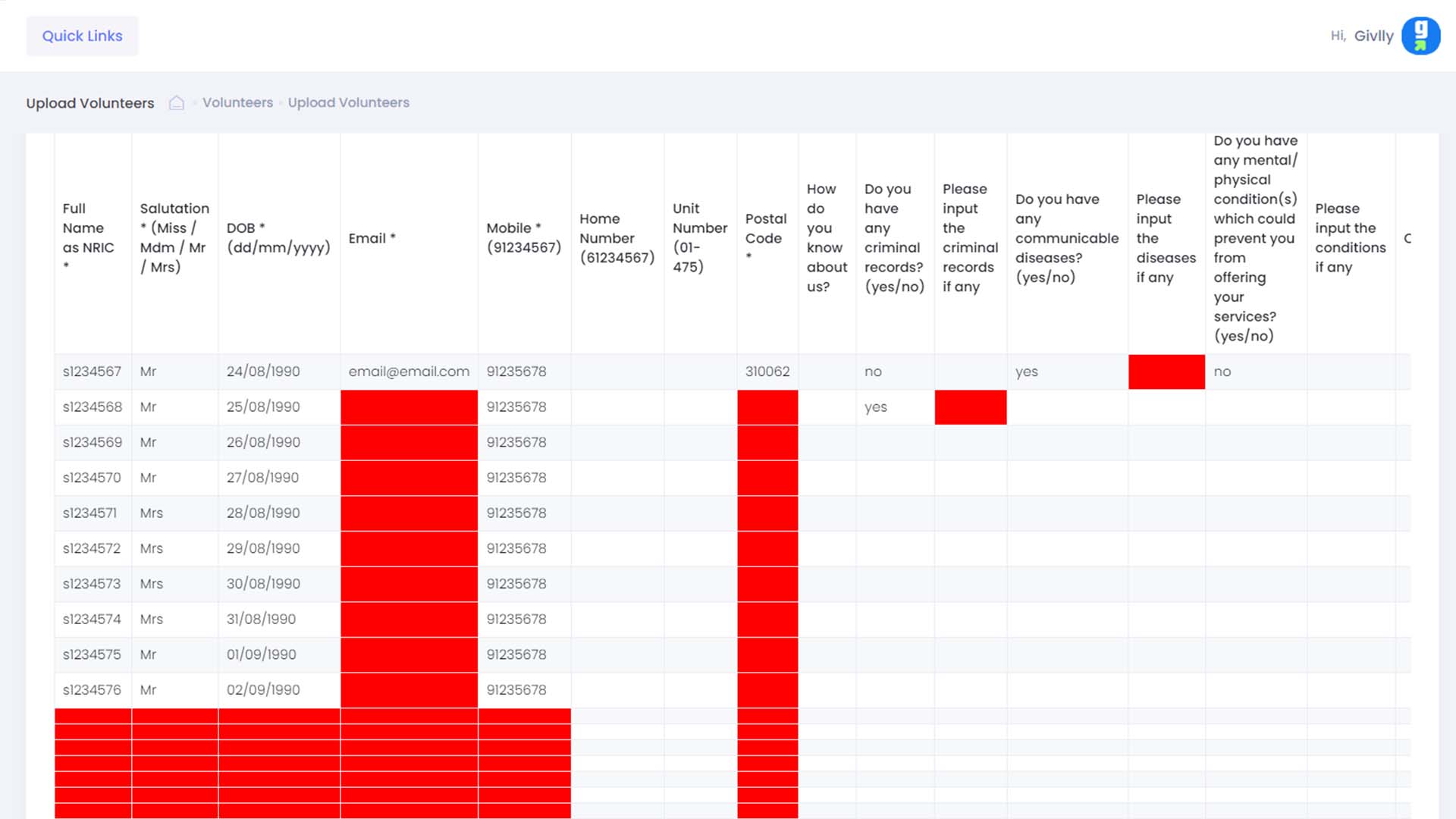
- Preview the uploaded data. Givlly will flag incorrect data in red.
Go back and amend the volunteer details on the excel template and re-upload it back to the system. When all the information is correct, click on the Submit button to generate the volunteer accounts.