Review New Volunteer Applications
- To review volunteer applications submitted via your organisation website
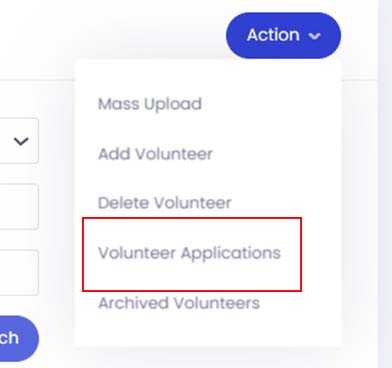
From the Volunteer module, please click onto Action button and select Volunteer Applications.
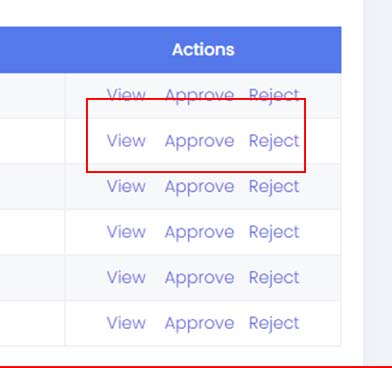
- Locate the applicants and click View under the Actions setting to view the application details
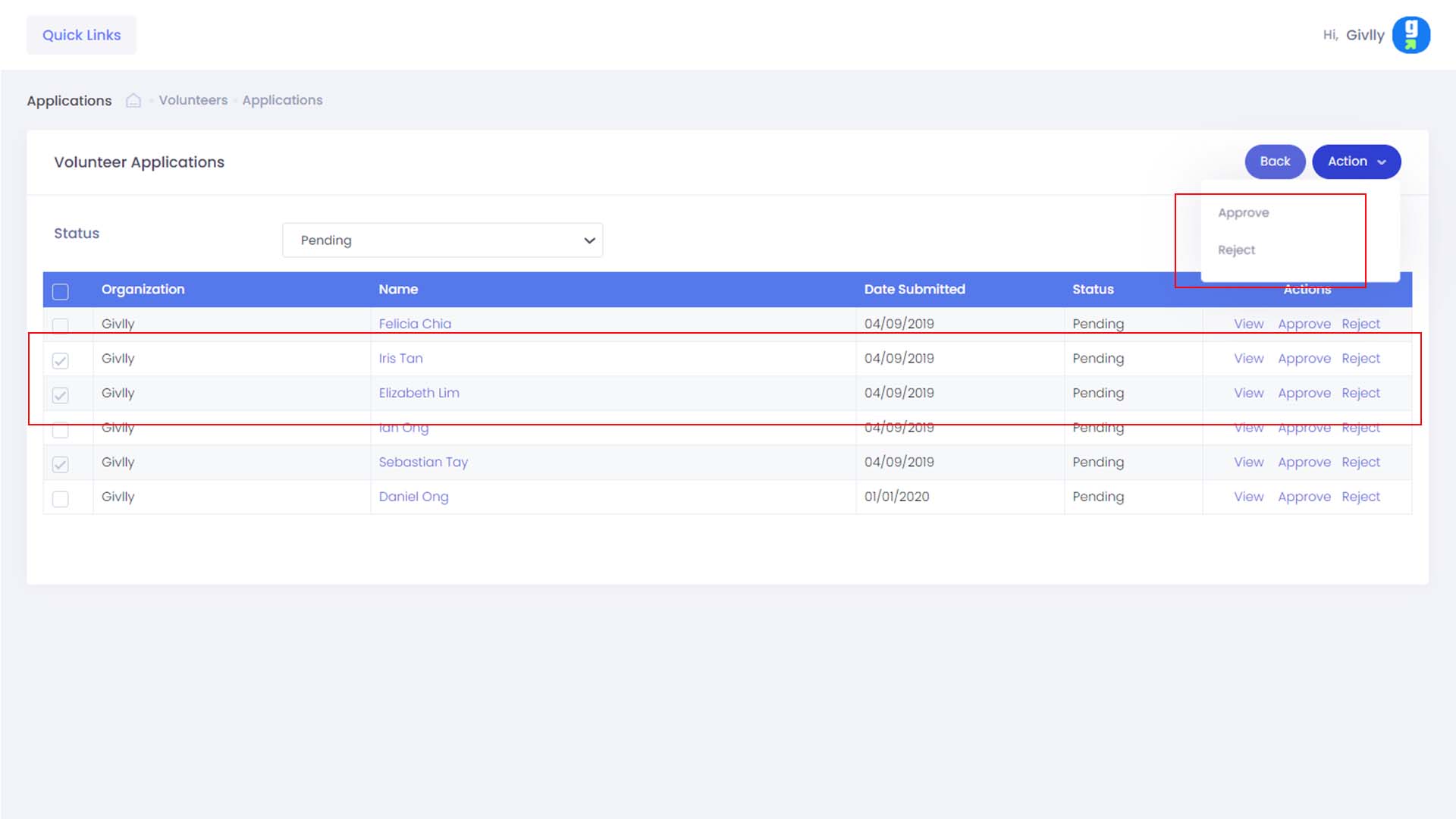
- Select the approved volunteer applications and click on the Action button and select Approve. Once the application is approved, Givlly will automatically send the approval email and also the login details to the volunteer via email.
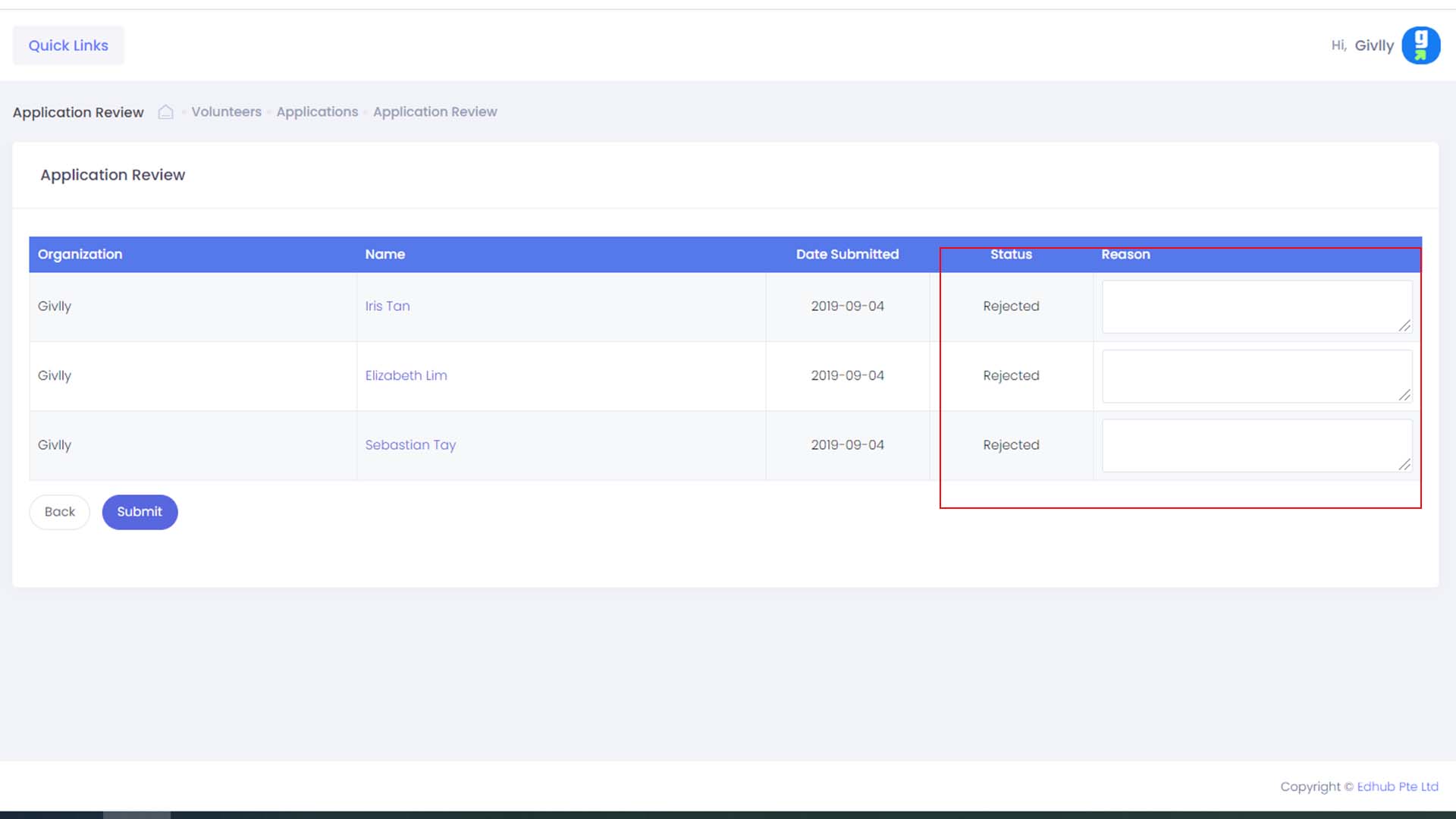
- For rejected applicants. Select the rejected volunteer applications and click on the Action button and select Reject. Enter the reason for the applicant’s rejection and click on the Submit button. The system sent an email to the applicant to inform him/her.